


- First Steps Checklist
-
Frequently Asked Questions
-
All About Features
- How to Install the Tracking Code
-
User Guides
-
Integrating With Other Platforms
-
Legal, Data Privacy & Certificates
- TWAIA Addendum
- Glossary
- Contact
Custom Meta Data Integration Guide
Overview
INTPs can now grant their users access to our Analytics Content module. This guide explains how to expose structured page metadata to the analytics worker by embedding a single JSON <script> on each content page. By providing this metadata, the analytics worker can accurately associate visitor activity with your content, authors, taxonomies, and page structure for more detailed reporting.
Integration Process
Place the following tag at the end of <body> on every page you want tracked. The element must have type="application/json" and id="analytics-content-meta" the analytics worker looks for that exact selector.
Analytics Content Meta Script
<script type="application/json" id="analytics-content-meta">
{
  "postType": "post",
  "authors": [
    { "id": "72145", "name": "John Smith" }
  ],
  "blocks": [
    { "name": "core/paragraph", "count": 28 },
    { "name": "core/heading",   "count": 4 },
    { "name": "core/image",     "count": 1 }
  ],
  "taxonomies": {
    "category": [
      { "id": "60", "slug": "energy",  "name": "Energy" },
      { "id": "1",  "slug": "abnews",  "name": "News" }
    ],
    "post_tag": [
      { "id": "72011", "slug": "iran-crisis-2026", "name": "Iran crisis 2026" },
      { "id": "532",   "slug": "oil-price",        "name": "Oil price" }
    ]
  }
}
</script>
Field Reference
| Field | Type | Description |
|---|---|---|
| postType | string | Content type identifier (e.g. post, page, video). |
| authors | array of objects | One entry per author. Each requires an id and display name. |
| blocks | array of objects | Inventory of block types on the page. name is the block identifier, count is how many times it appears. |
| taxonomies | object | Map of taxonomy name to array of terms. Each term requires id, slug, and name. Add or omit taxonomies as needed (category, post_tag, or any custom taxonomy). |
Content Analysis
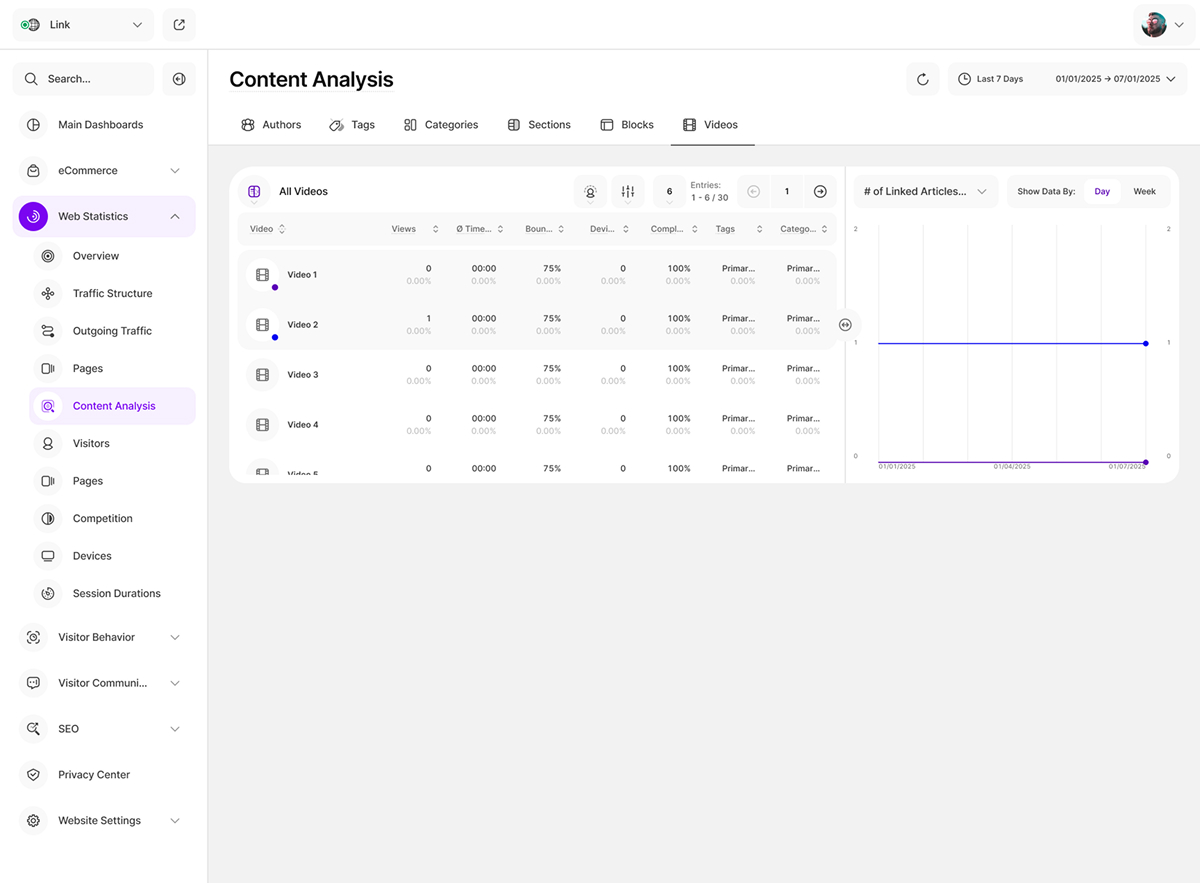
Once website metadata is successfully indexed, it populates the Content Analysis module. This tool offers a centralized environment where users can analyze performance metrics mapped to specific metadata categories.
To facilitate intuitive data exploration, each metadata category, such as Authors, Tags, or Categories, is organized into a dedicated tab. This structure allows users to seamlessly switch between different content dimensions to extract actionable insights.
