

Campaign Engagement
Every campaign gets clicks. Not every campaign gets you anywhere.
Campaign Engagement follows your UTM traffic past the click. Which campaign, which source, which creative, and what those people actually did once they landed on your site.
Get started free, Campaign Engagement includedUTM URL BUILDER
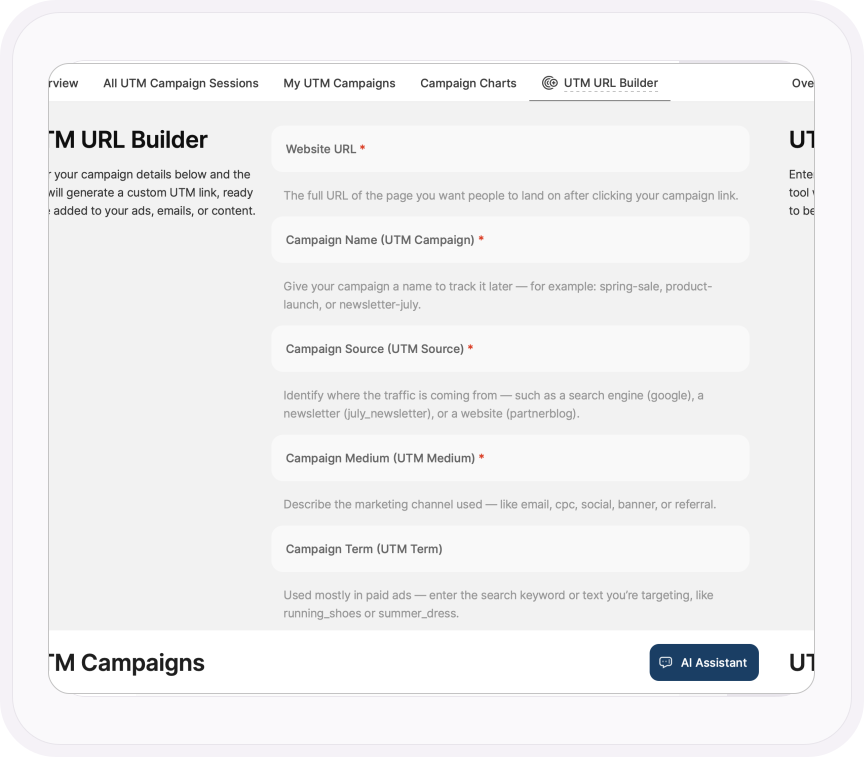
Build the link here. Skip the spreadsheet.
Every marketer has a spreadsheet of hand-typed UTM links, and every marketer has broken a campaign with a typo in it.
Build your tracked URLs inside the platform instead, then share them and watch the traffic arrive in the same place you built them. One tool, start to finish.
- All eight parameters, including the three newer ones: source platform, creative format and marketing tactic
- Source, medium and campaign are required, so a half-built link never goes out
- Examples under every field, and the finished link copies to your clipboard in one click
CAMPAIGN BREAKDOWN
Not just which campaign worked. Which part of it.
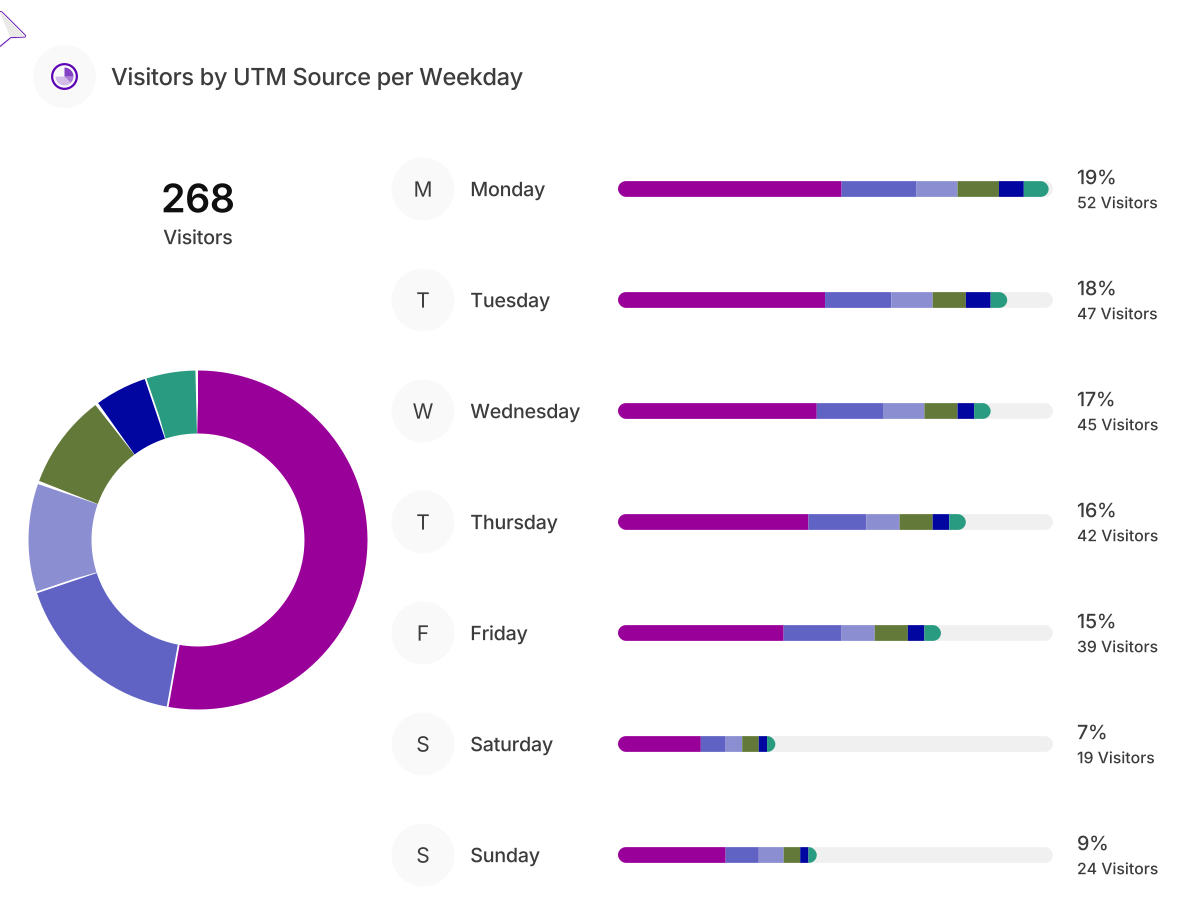
Break the traffic down by source, medium, term and content. That's how you learn the LinkedIn version beat the email version, or that one creative did all the work while the other three did none.
Then set it against the traffic that arrived without a campaign, day by day, and see what the campaign really added.
- See which weekday each source and campaign brings people in, so you know when to hit send
- Narrow any chart to source platform, creative format or marketing tactic with a single filter
- Follow campaign sessions by day, week, month or year
- Save any filter combination as a template and reuse it on the next campaign
MY UTM CAMPAIGNS
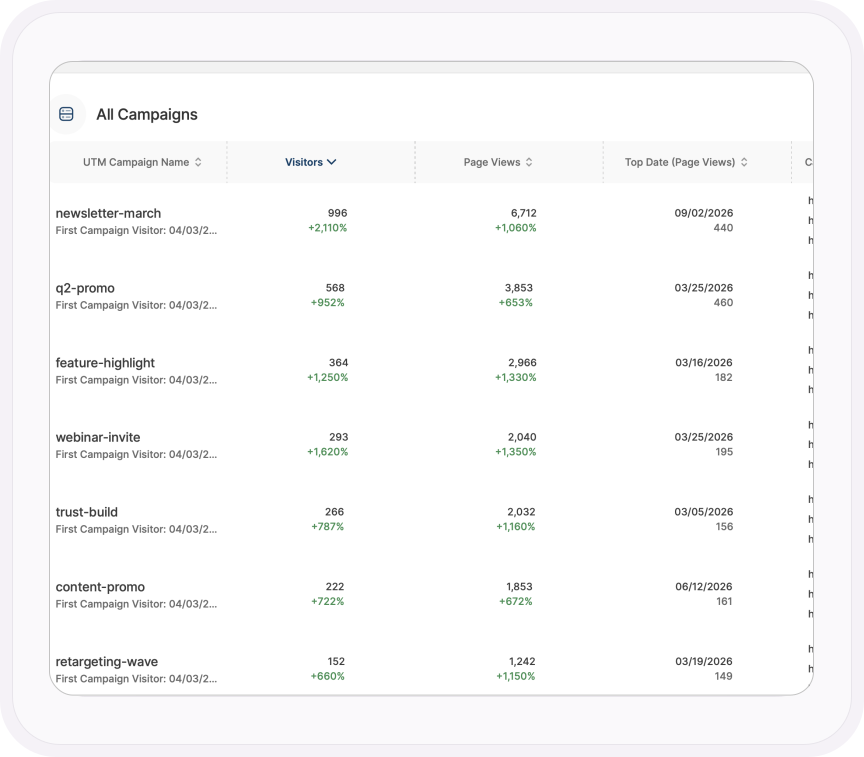
The campaign that won, and the one you should stop paying for.
Every campaign side by side, from the day its first visitor arrived, with visitors, page views and the date it peaked. Plus the pages people read and the countries they came from.
A campaign that sends 5,000 people to the wrong page in the wrong market isn't a success. This is where you find out.
- Every campaign session listed individually, with the visitor's country, whether they're new or returning, and how many pages they read
- Change against the previous period on every campaign, so a fading one stands out
- Campaign sessions pinned on a world map by country
- Filter by company, landing page, device or country to see who each campaign actually reached
Learn more
Make every campaign count
Tag your first campaign
Build a UTM link, share it, then watch the campaign results arrive in real time.
Read the support guideWatch what campaign visitors actually did
Filter recordings by UTM campaign and replay the visits each ad bought you, click by click.
Explore Session RecordingsSix ways to see what drives results
Attribution use cases that tie each campaign and channel to real conversions.
Read the use casesAsk which campaign earned its budget
Ask TWAIA which campaign brought the most engaged visitors, and get the answer with the chart attached.
Explore TWAIA AI AssistantFrom clicks to revenue
Put a value on every conversion and see which campaign actually earns its budget.
Explore Conversion & Revenue TrackingShare one campaign, nothing else
Filter a dashboard to a single UTM campaign and share it view-only with a client or colleague.
See how dashboard sharing worksONE PLATFORM, FOUR STAGES
Most analytics show you what happened. TWIPLA shows you what to do about it.
Every tool runs on one setup, and the filters you set follow you from report to report. So a number on this page becomes a recording, a funnel or an answer in one click. Observe is where it starts. Here's the whole route.
- OBSERVE: See what's happening
- ANALYZE: See how visitors behave
- UNDERSTAND: See what it costs you
- ACT: See what to do next

More in Observe
The rest of your Observe toolkit
See who's on your site right now
Live pages, sources and countries as they happen, with no consent banner in the way.
Explore Live Visitor ActivityEvery route in and every click out
Every channel that sends visitors, AI chatbots included, and every site they leave for.
Explore Traffic Sources & Exit PathsKnow who's visiting, down to the company
Locations, devices and the businesses researching you, visit by visit.
Explore Audience IntelligenceSee how you stack up
Compare your traffic with your sector and region, and spot where you're falling behind.
Explore Competition BenchmarkingKnow what sells, and why
Revenue, orders and products in one view, traced back to the channels that drove them.
Explore eCommerce AnalyticsTalk to a human
Got a campaign you can’t make sense of?
Tell us about your website. A member of our team will reply by email and show you which campaigns are worth the budget.
Thanks, we have your message
A member of our Sales team will reply to your email soon.
