

Analyze (Behavior)
How are visitors actually interacting with my website?
Observe told you what happened. Analyze shows you why.
Get started free, Analyze includedHere’s your answer, in five tools
Clicks, scrolls, replays, frustration and your visitors’ own answers, all from one setup and all filtered the same way. Start with the page that’s letting you down.
Explore Event Tracking & Journeys
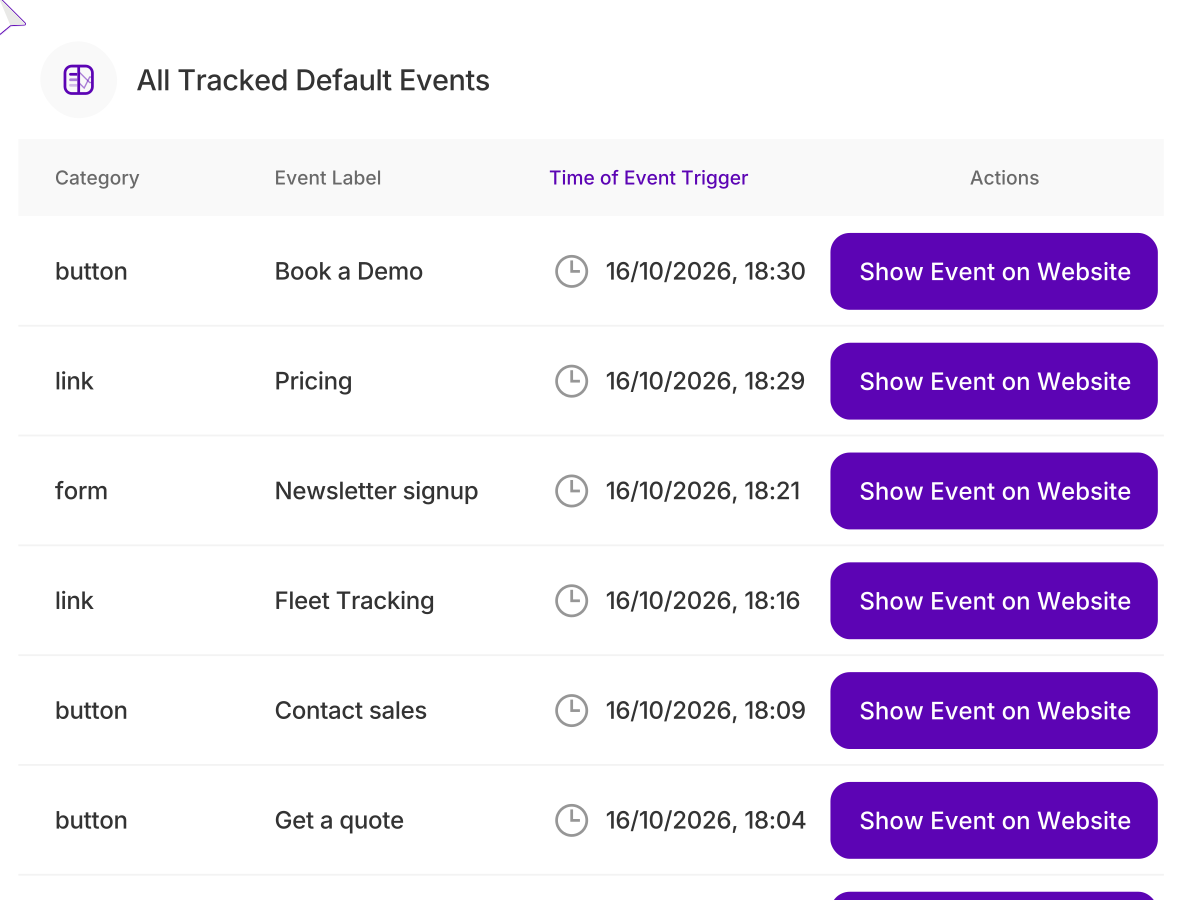
Every click, form, download and video play is tracked automatically, with custom events for anything else you want to count. Line the steps up into a funnel and see exactly where visitors drop out before they convert.
Explore Heatmaps
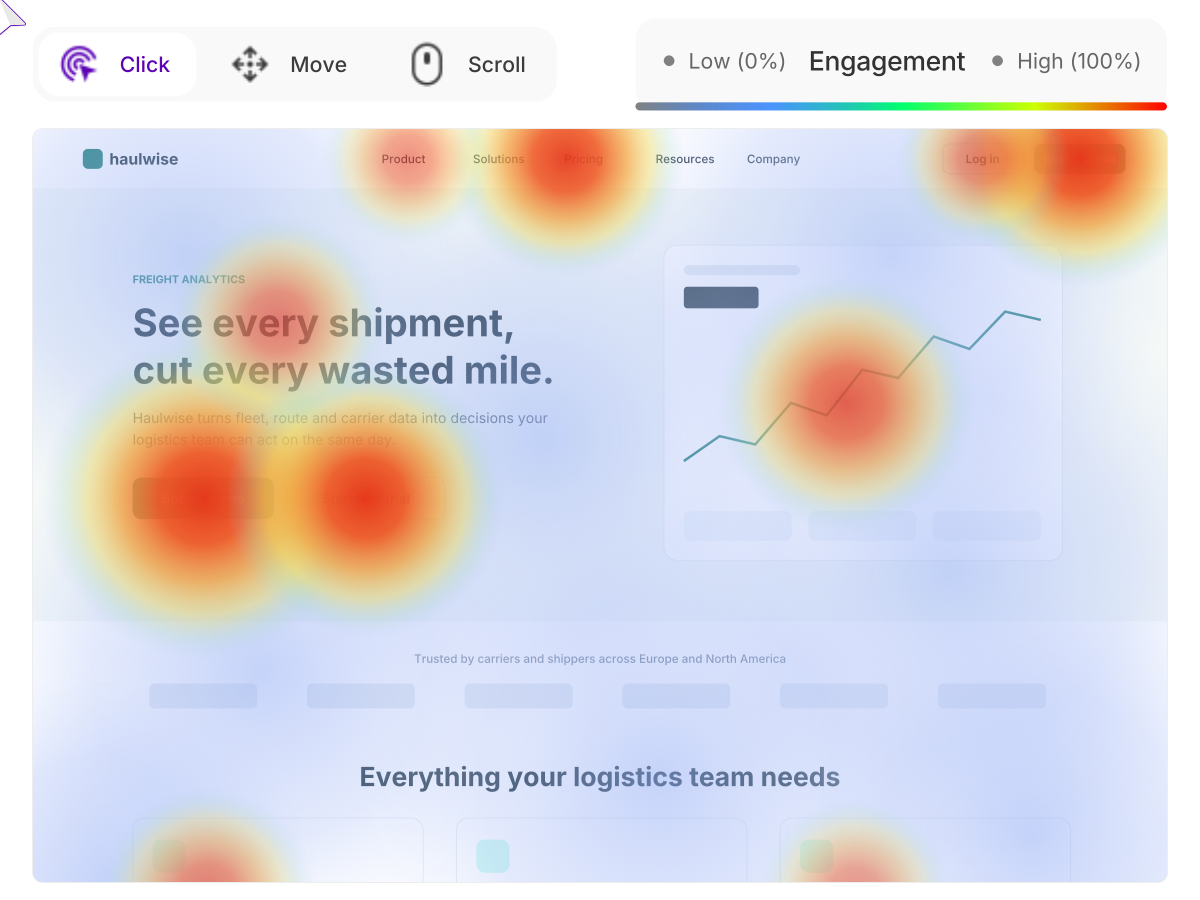
Click, scroll and movement maps for any page, on desktop and mobile. Spot the buttons nobody presses, the content nobody scrolls to and the spots people click expecting a link. One glance shows what a page is really doing.
Explore Session Recordings
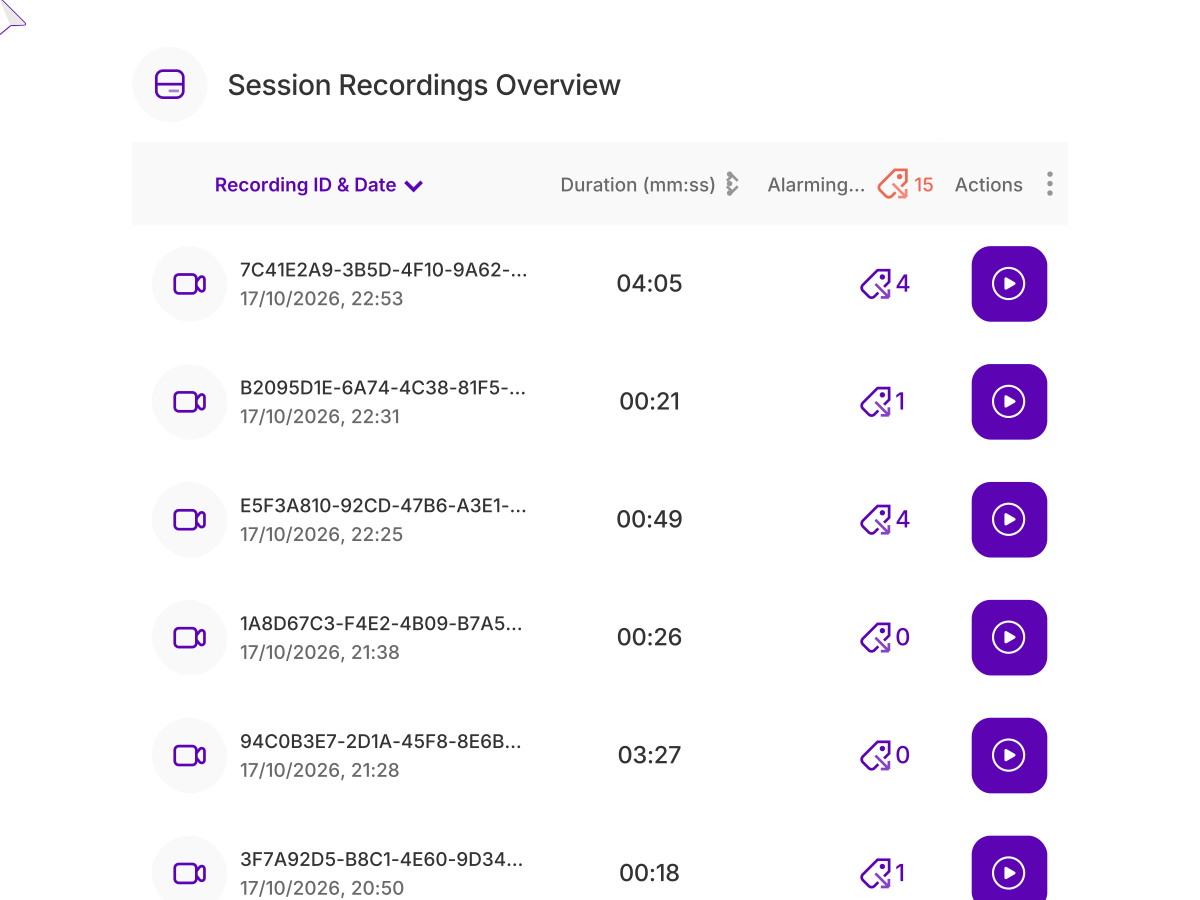
Replay sessions to see every move a visitor made, from the first page to the last. Jump straight to the recordings with rage clicks or abandoned checkouts, and see the problem the way your visitors did.
Explore UX Health Score & Friction Monitoring
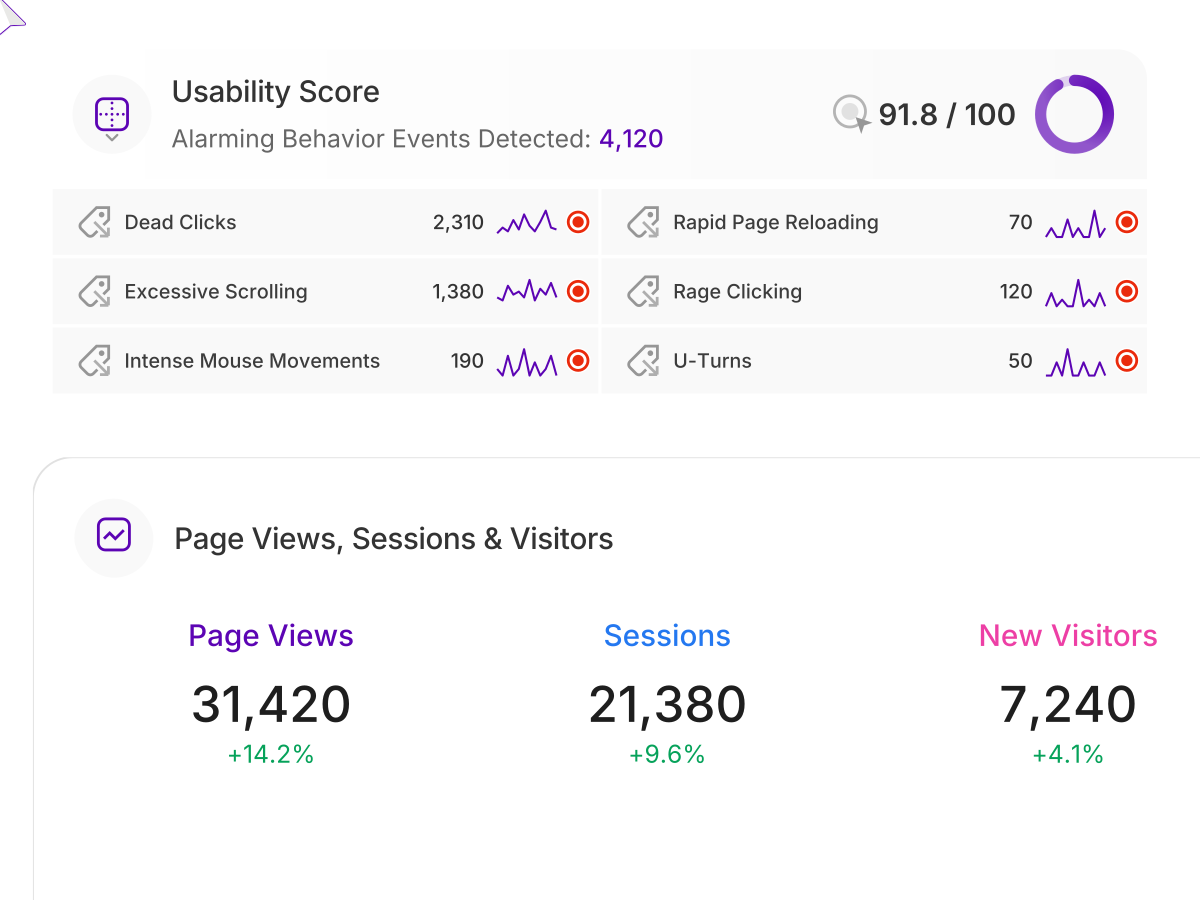
One score for how your site feels to use, built from dead clicks, rage clicks, excessive scrolling, U-turns and more. Each problem is flagged with the page where it happens, so you know what to fix first.
Explore Visitor Surveys & Polls
Ask a quick poll or a full survey right on the page, shown to the right people at the right moment. Find out why they came, what stopped them and what would bring them back.
ONE PLATFORM, FOUR STAGES
Most analytics show you what happened. TWIPLA shows you what to do about it.
Every tool runs on one setup, and the filters you set follow you from report to report. So a number on this page becomes a recording, a funnel or an answer in one click. Analyze is where the numbers turn into behavior. Here's the whole route.
- OBSERVE: See what's happening
- ANALYZE: See how visitors behave
- UNDERSTAND: See what it costs you
- ACT: See what to do next

Talk to a human
Bring the question you can’t answer today
Tell us about your website and what you need to know. A member of our team will reply by email and show you exactly where TWIPLA finds the answer.
Thanks, we have your message
A member of our Sales team will reply to your email soon.
