

Growth Engine
Your visitors already told you what to write next.
Most analytics stop at what happened. Growth Engine tells you what to do next: the pages to fix, the topics to write about, and what each is worth in conversions. Free in early access on Pro plans and above, and included from Basic up after that.
See which plans include Growth EngineTRENDING TOPICS
Every topic on your website. Watched around the clock.
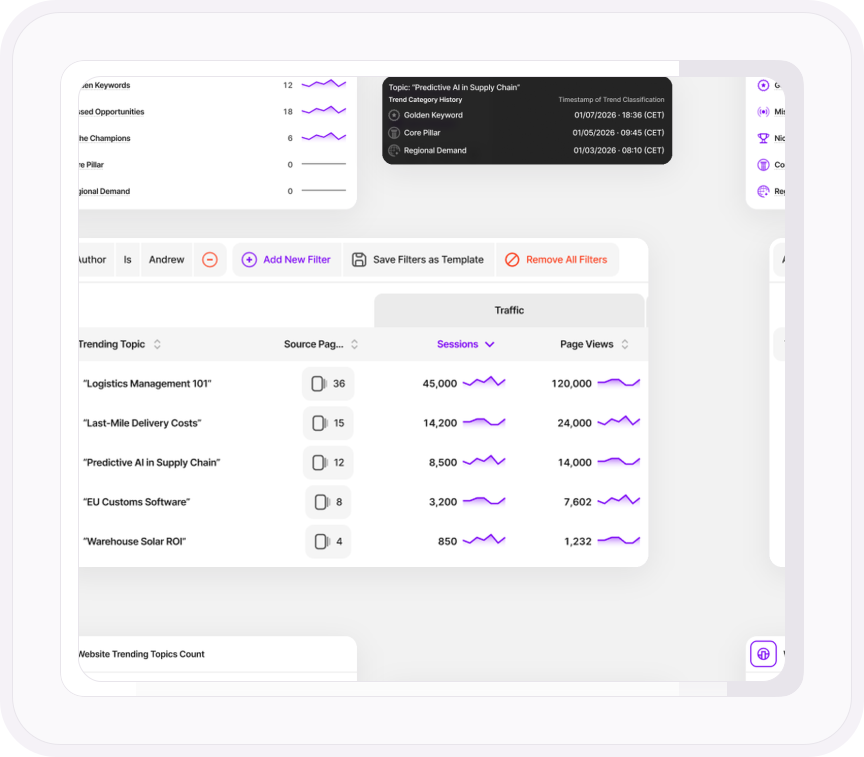
Growth Engine groups your pages into topics and watches how every one of them performs: how much traffic it brings in, how well it holds attention, and whether visitors go on to convert.
Then it puts every topic in a category that tells you what it is. A Golden Keyword converts far above your site average. A Missed Opportunity pulls in traffic and then loses it. A Niche Champion is small and converts anyway. A Core Pillar is the traffic your site stands on. More categories are on the way.
Every opportunity starts with one of these topics. And the picture never goes stale: what you're looking at is this morning's, not last quarter's.
- Full-Funnel Metrics: Track sessions, page views, bounce rate, time on page, scroll depth, returning visitors, continuation rate and conversion events for every topic, side by side.
- Category History: Watch how topics evolve over time, and spot a Golden Keyword slipping before it becomes a Missed Opportunity.
- Custom Filters: Filter by author, country, device, language, traffic channel or UTM campaign, save the filter, export the table
- Flexible Refresh Rates: Choose automated background checks every 3, 6, 12, or 24 hours. Your choice.
CONTENT OPPORTUNITIES
Not a report. A prioritized to-do list with the metrics that matter attached.
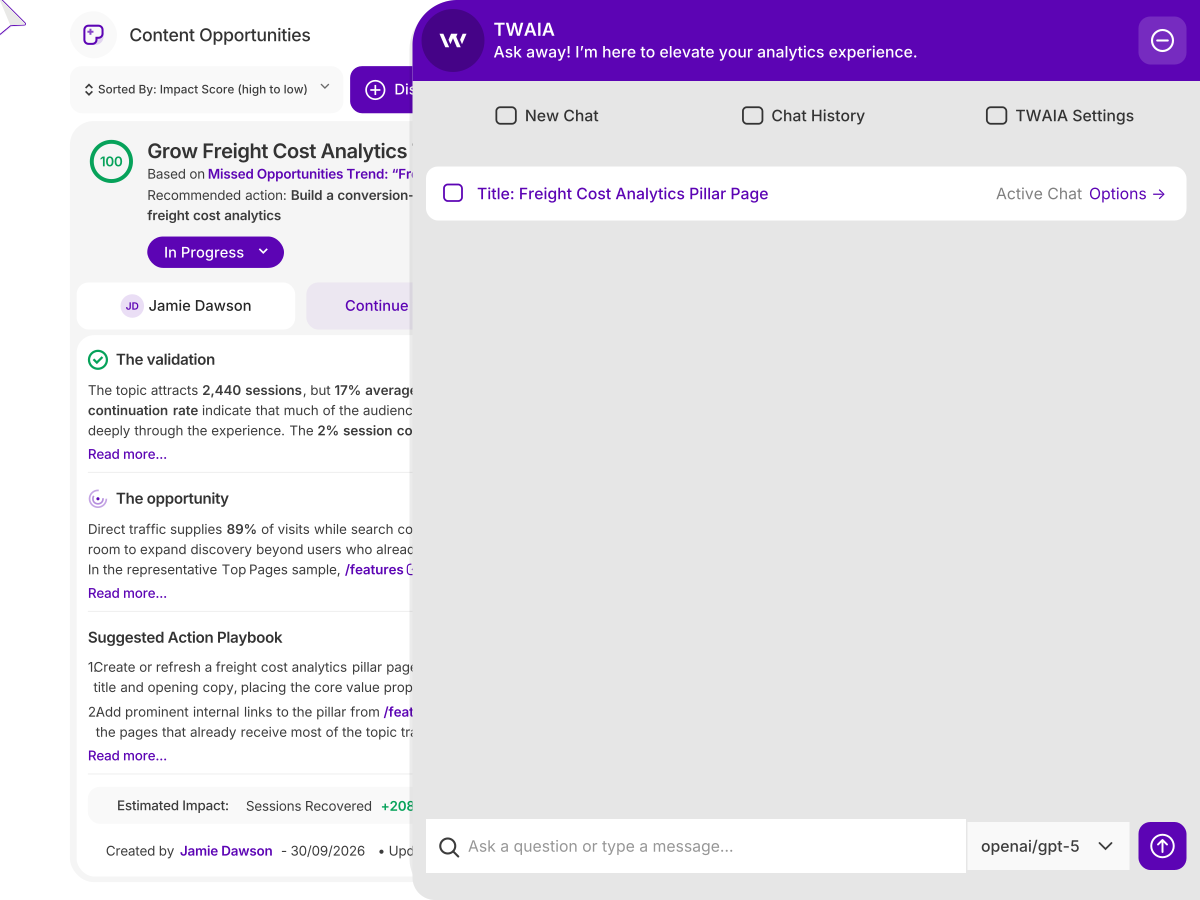
For every topic or page that deserves action, Growth Engine generates a concrete opportunity: what the data proves, why it matters, a step-by-step playbook to follow and the projected lift in sessions and conversions. The list arrives already pre-sorted by performance impact, so you start with the one that pays off most.
Approve the playbook and TWAIA, the AI assistant built into TWIPLA, gets to work: the rewritten page, the new meta title and description, the answer block, the line-by-line edit list or a list of UX friction fixes. Each one a click away in the editor.
- Scored by Impact: Prioritize high-yield opportunities before lifting a finger.
- Custom Filters: Rank by raw traffic impact or select specific opportunity categories.
- Structure your Work: Add your own tasks next to the playbook, so the whole job lives in one place.
- Collaborative Execution: Assign opportunities to team members and track progress from New to In Progress to Done.
CUSTOM CONTENT STUDIO
Bring your own brief. Growth Engine drafts that too.
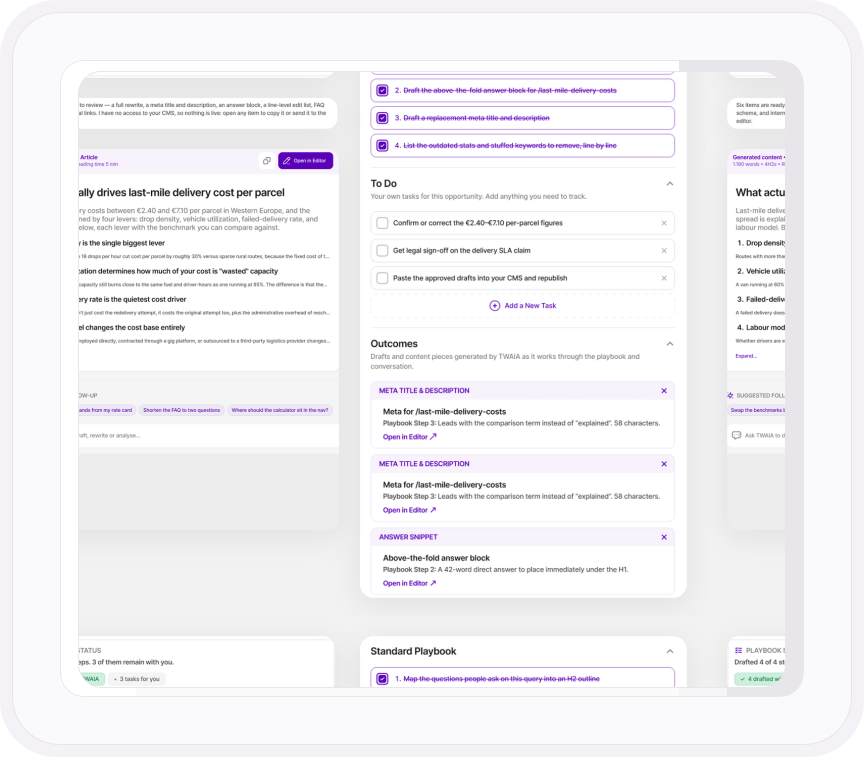
Not every growth play starts with an automated alert. Custom Content Studio lets you brief TWAIA on any custom topic or page, combining your strategy with native site telemetry.
Whether a draft came from an automated opportunity or a custom brief, it opens in the same unified editor, with TWAIA in the sidebar to refine, expand or adjust copy on command. When you're happy, export it as .md or .html to wherever you publish.
- Tailored Drafts: Choose the tone of voice, target audience, sector, word length and CTA focus for every draft.
- Structured Visuals: Auto-generated image placeholders keep media assets organized.
- Project Workflow: Assign ownership, set statuses, and manage team deliverables in one place.
Learn more
From opportunity to proof
Tune it to your market
The sector and region you set in Benchmarking shape every content suggestion Growth Engine makes.
Explore Competition BenchmarkingTop pages are not a strategy
Why a chatbot plugged into your analytics can't tell you what to write next.
Read the articleLet TWAIA write the first draft
Approve a playbook and TWAIA drafts the content, in your voice and style.
Meet TWAIAPublish it, then watch it land
Ship the draft and see readers arrive in Live Visitor Activity, with zero delay.
Explore Live Visitor ActivitySee the AI traffic your content earns
Track visits from ChatGPT, Gemini and Perplexity as their own channel, and see your GEO work pay off.
Explore Traffic Sources & Exit PathsCheck the fix worked
Ship a Growth Engine UX fix, then watch your UX Health Score to see the friction drop.
Explore UX Health ScoreONE PLATFORM, FOUR STAGES
Most analytics show you what happened. TWIPLA shows you what to do about it.
Every tool runs on one setup, and the filters you set follow you from report to report. So a number on this page becomes a recording, a funnel or an answer in one click. Act is where the route ends: everything the other three stages found, turned into what to do next. Here's the whole route.
- OBSERVE: See what's happening
- ANALYZE: See how visitors behave
- UNDERSTAND: See what it costs you
- ACT: See what to do next

Talk to a human
See what Growth Engine would fix first
Tell us about your website. A member of our team will reply by email and show you the opportunities Growth Engine finds on your site.
Thanks, we have your message
A member of our Sales team will reply to your email soon.
