Simon Coulthard March 23, 2026
- TWIPLA Satisfaction Survey
- 6 Traffic Attribution Use Cases
- Platform Updates
- Full URL Visibility Standardized Across the Platform
- New Data Visualizations for Clearer Insights
- Smarter URL Actions - Right Where You Need Them
- More Precise Location Insights in Visitor Sessions
- Simplified Access for White-Label Environments
- Career Opportunities
- That's a Wrap for March 2026
Platform News - March 2026

March has been a busy one, with updates across the platform, a new deep-dive guide, and a few things happening beyond the product itself.
From smarter workflows and clearer data visualization to new ways of thinking about traffic attribution, there’s plenty to explore in this edition.
Use the table of contents on the left to jump straight to what interests you, or scroll through for the full update.
→ Subscribe to the Newsletter
Stay up to date with TWIPLA. Get product updates, practical insights, industry, and industry news delivered your inbox.
TWIPLA Satisfaction Survey
Help Us Shape the Future of TWIPLA

If you’re not joining us (yet), you can still influence what comes next.
We’re running a short platform survey to understand how you’re using TWIPLA and what actually delivers value in your day-to-day work.
This isn’t just about rating features.
It’s about understanding what you rely on most, what could be clearer, and where we should focus next.
6 Traffic Attribution Use Cases
You’re Sitting on Traffic Insights You’re Not Using

If you're already using TWIPLA, you’re collecting everything you need to understand what drives results.
Most teams just don’t always connect the dots.
Our latest blog walks through 6 traffic attribution use cases that show how to combine traffic data, behavior, and conversions to answer much better questions about your visitors.
Inside, you’ll learn how to:
- Identify which traffic sources actually generate revenue, not just visits
- Compare campaign performance based on engagement and conversions
- See where different traffic channels drop out in your funnels
- Understand how visitors from each source behave across your site
- Pinpoint which links, ads, or parameters drive real results
- Evaluate landing page performance by traffic source
You’re likely already tracking all of this in TWIPLA.
This guide shows how to bring it together and turn it into decisions.
Platform Updates
Full URL Visibility Standardized Across the Platform
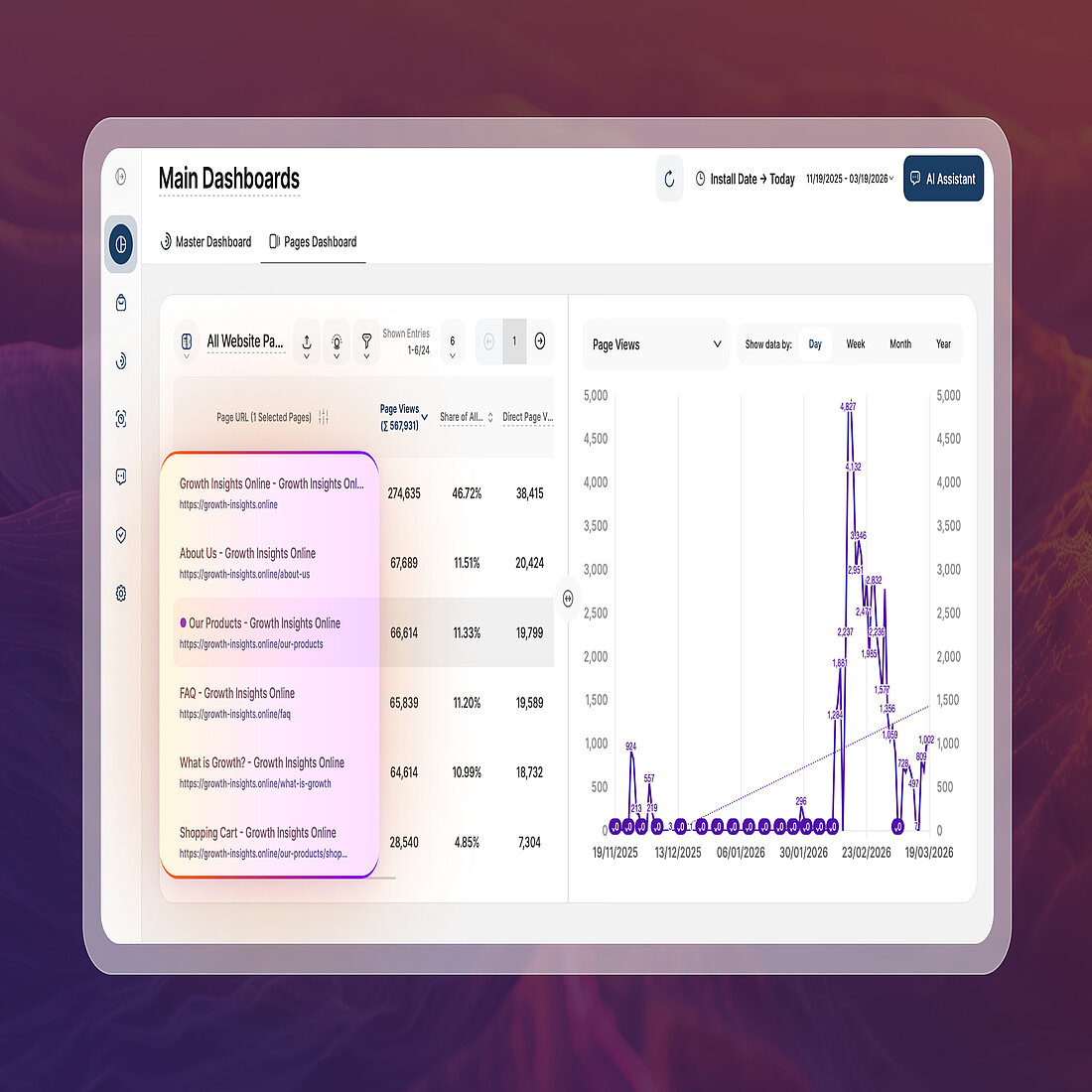
No more guessing what’s behind a shortened link.
URLs are now always displayed in their complete form, including protocol and subdomain, wherever they appear across the platform.
This removes ambiguity and makes it easier to work with precise URL structures, especially when small differences carry real meaning.
- See the full URL exactly as it exists, without trimming or simplification
- Avoid confusion between similar pages or paths
- Apply filters and searches with greater accuracy, even on complex domains
Whether you're analyzing performance or narrowing down specific pages, you can now trust that every URL reflects the exact destination.
New Data Visualizations for Clearer Insights
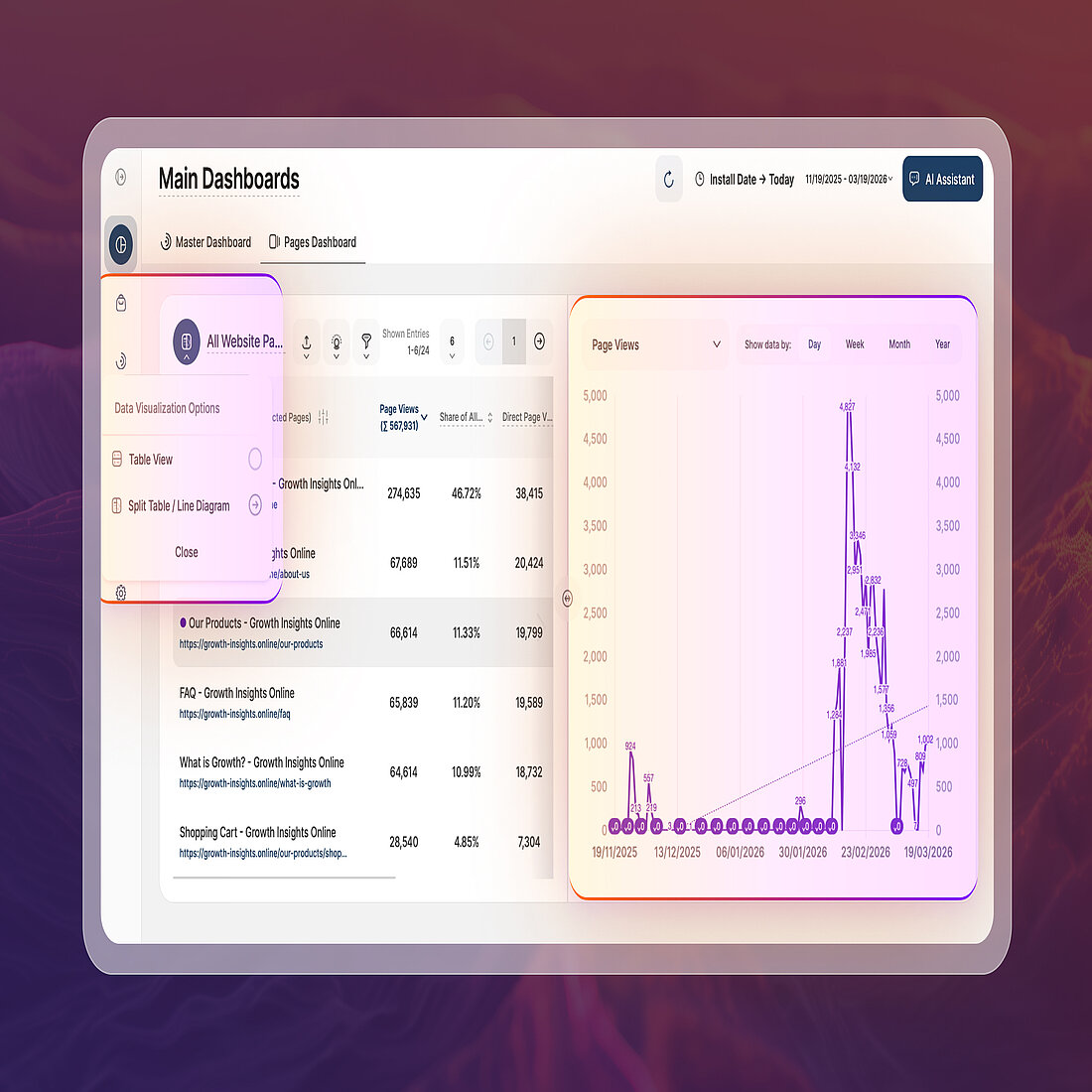
Charts should help you spot patterns instantly, not make you work for them.
We’ve added new visualization options to line diagrams and split tables so you can read performance at a glance and understand what’s really happening behind your data.
- Trend lines reveal the overall direction of a metric, helping you quickly see whether performance is improving or declining
- Data point values display exact numbers directly on the chart, removing the need to hover or estimate
- Highest and lowest points highlight peaks and dips across your selected timeframe, making key moments impossible to miss
These options are enabled by default and can be adjusted anytime, so every report matches how you prefer to analyze your data.
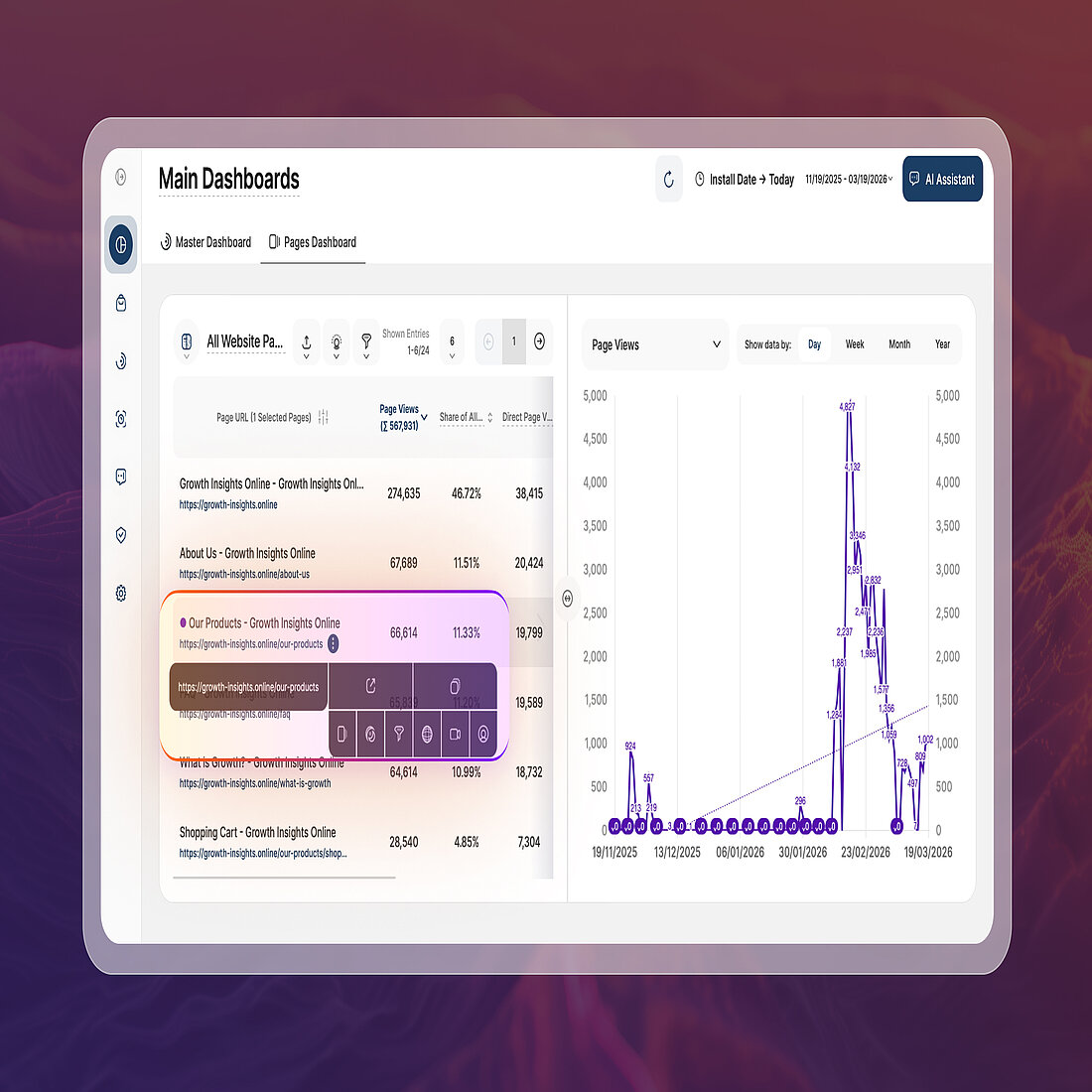
Smarter URL Actions - Right Where You Need Them
More Precise Location Insights in Visitor Sessions
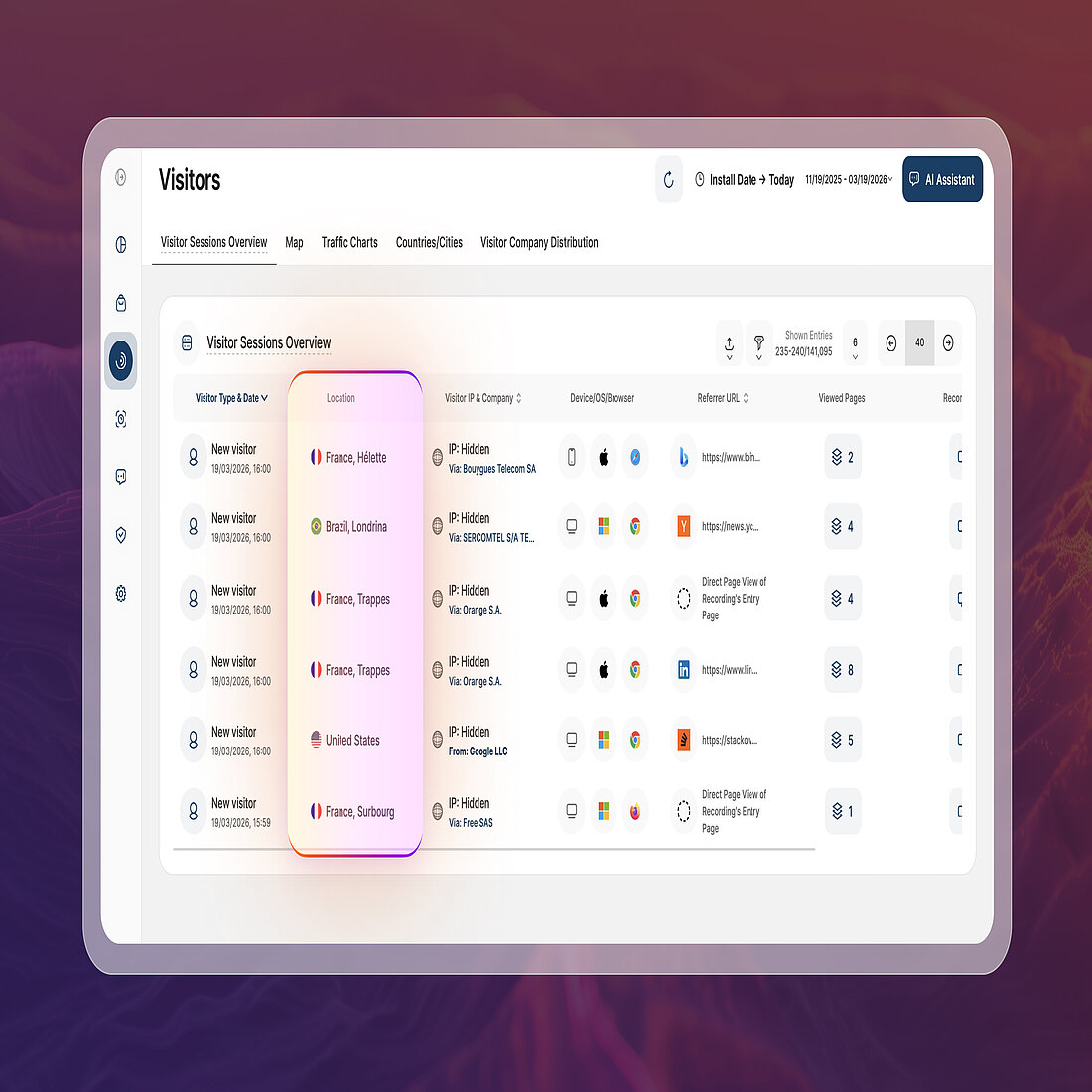
Understanding the Visitors module and where your visitors come from just got more detailed.
In the Visitor Sessions Overview report, the Country column has been updated to Location, now combining both country and city-level data in a single view.
- See both country and city of visit in one column
- Filter by country, city, or both at the same time
- Get a clearer picture of where your visitors are actually coming from
This update makes it easier to segment traffic geographically and uncover more precise patterns in your visitor data.
Simplified Access for White-Label Environments
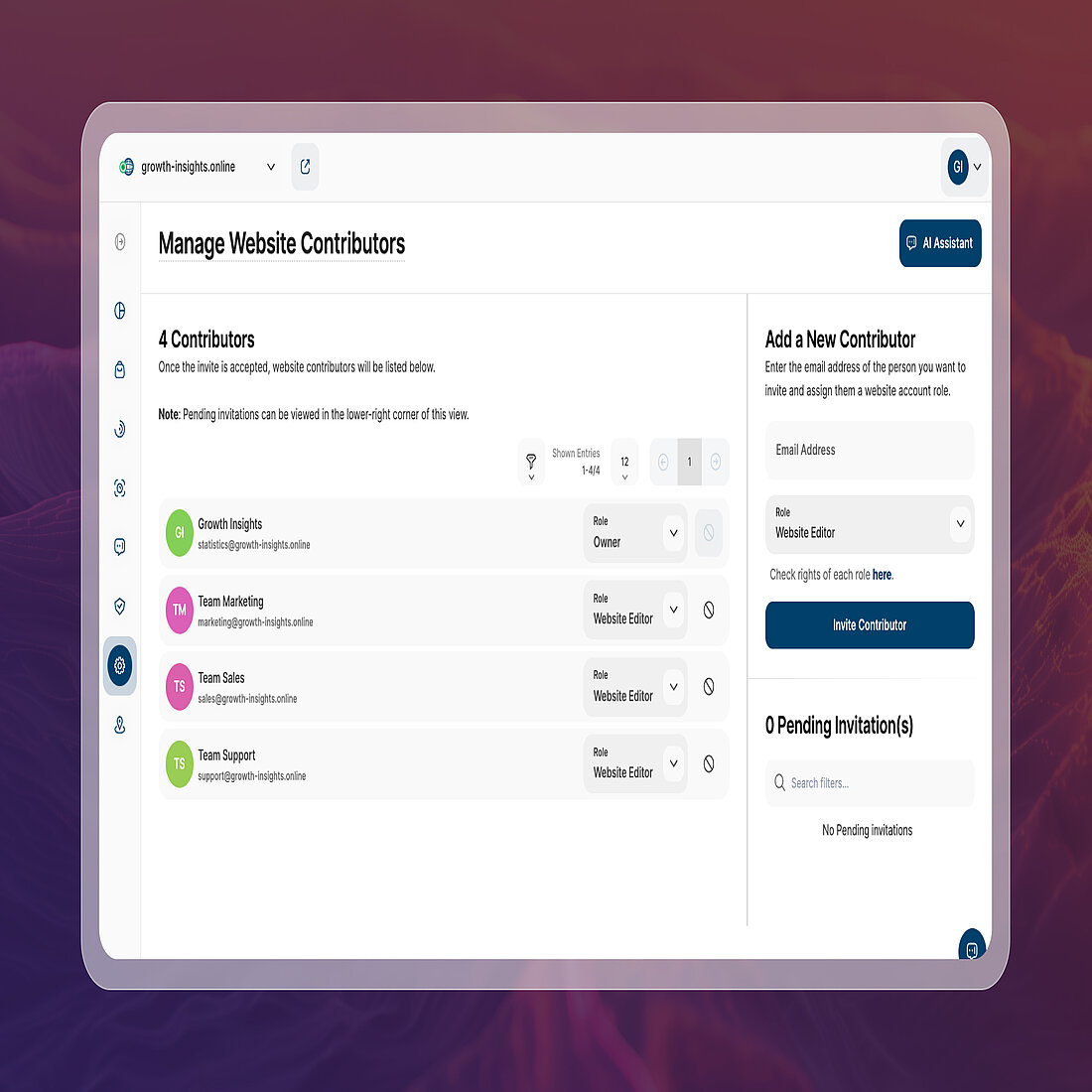
Access rights have been refined when a white-label theme is active, reducing unnecessary options and keeping the interface focused for contributors.
For the following roles, access to certain areas has been limited:
- Website Watcher
- No access to TWAIA
- No access to Help & Support
- No access to the Privacy Center
- No access to Website Settings
- Custom Dashboard Viewer
- No access to TWAIA
These changes help streamline the experience in white-label setups, ensuring contributors only see what’s relevant to their role.
→ Managing Your White Label Websites
Note: White-label analytics currently isn't a functionality for Wix websites
Career Opportunities
Do You Want to Help Us Build What You’re Using?

It's an exciting time at TWIPLA. We’re growing fast and we’re looking for people who share our passion for privacy-flexible analytics.
If you enjoy working with data, UX, or building tools that actually help businesses understand their visitors, you might well fit right in.
We have the following open roles:
- Frontend Developer
- Human Resources Specialist
- Mid-Level Backend Software Engineer
- Performance Marketing Specialist
- Senior-Level Backend Software Engineer
→ Open Positions
Follow this link to learn more about these roles, as well as how to apply.
That's a Wrap for March 2026
Alongside everything covered here, there have also been plenty of smaller fixes and improvements across the platform to keep things running smoothly.
We’ll be back next month with more updates, insights, and ways to get more out of your data.
Until then, happy analytics.
→ Subscribe to the Newsletter
Stay up to date with TWIPLA. Get product updates, practical insights, industry, and industry news delivered your inbox.
Share article


Get Started for Free
Gain World-Class Insights & Offer Innovative Privacy & Security


 26 February 2026 - by Simon Coulthard