Live Visitor Activity
See what's working while you can still do something about it
Live Visitor Activity shows you who is on your website this second, which pages they're actually reading, and where they came from. Not tomorrow, when the moment has already passed.
OBSERVELive Visitor Activity is one of six Observe tools · Explore them all
LIVE VISITORS MAP
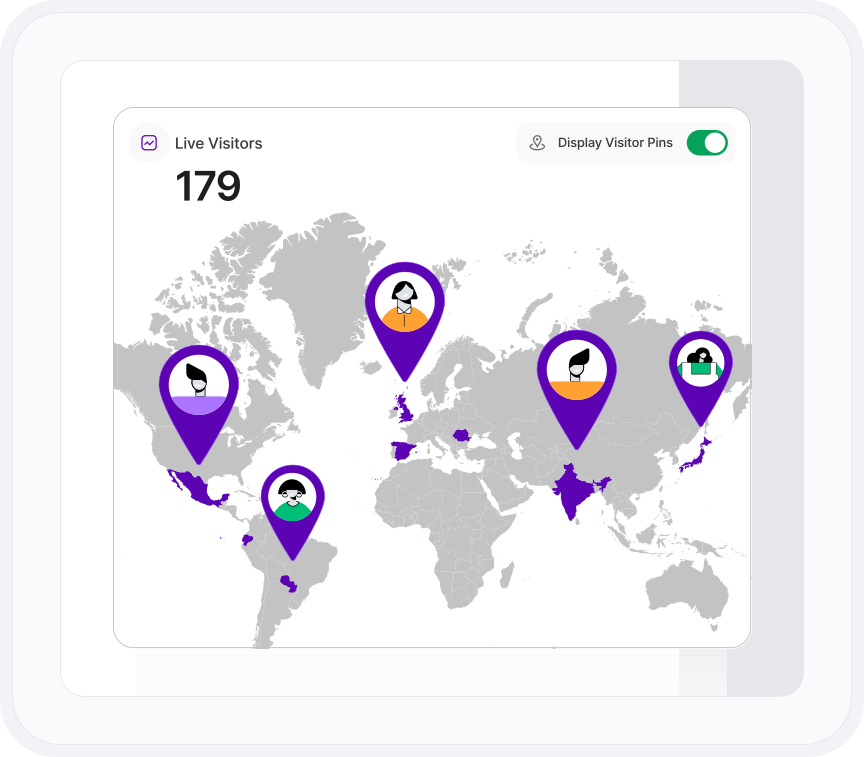
Every visitor on your site, on one map
Live sessions and live page views update as they happen, with pins showing exactly where in the world your traffic is coming from. There's no processing delay and nothing to wait for. The visit happens, it's on your screen. Send the newsletter and watch it land. Publish the article and watch it spread.
REAL-TIME INTERACTION TABLE
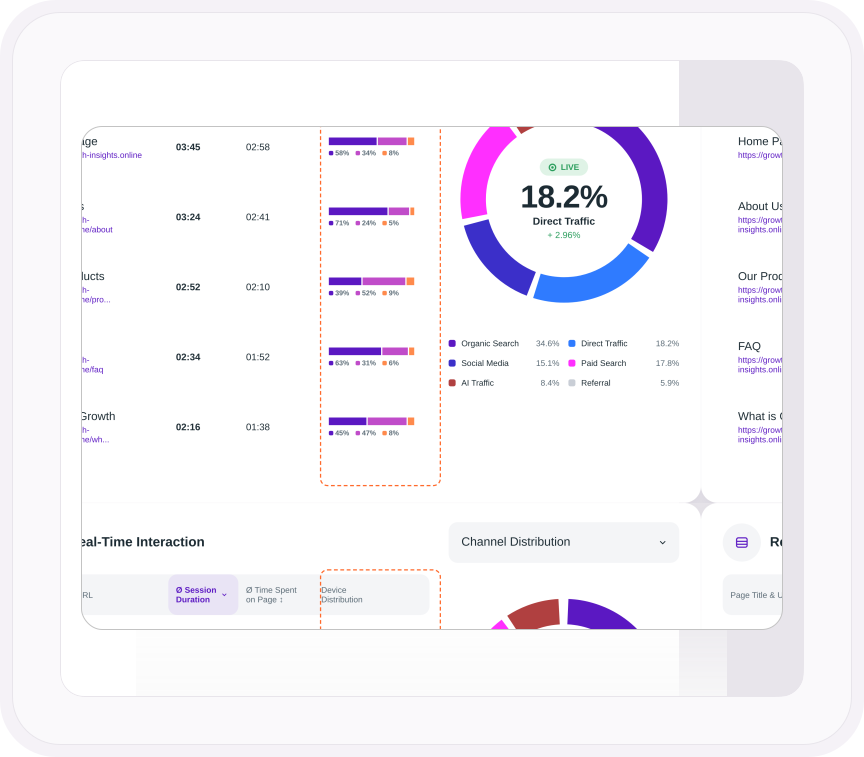
The page winning right now, sitting at the top of the list.
Every page with someone on it right now, in one table. Sort by session duration or time spent on page to see what's holding attention this minute, then read across the row: which devices those visitors are on, which channel sent them, which country they're in, and which browser they're using. The page that's winning, and who it's winning with.
- Every live page with its average session duration and time spent on page
- Device, operating system, channel, country and browser breakdown on every row
- Resize columns, hide the ones you don't need, and export the table to CSV, PDF, PNG or XLSX
LIVE FILTERS
Traffic is only half the answer. This is the other half.
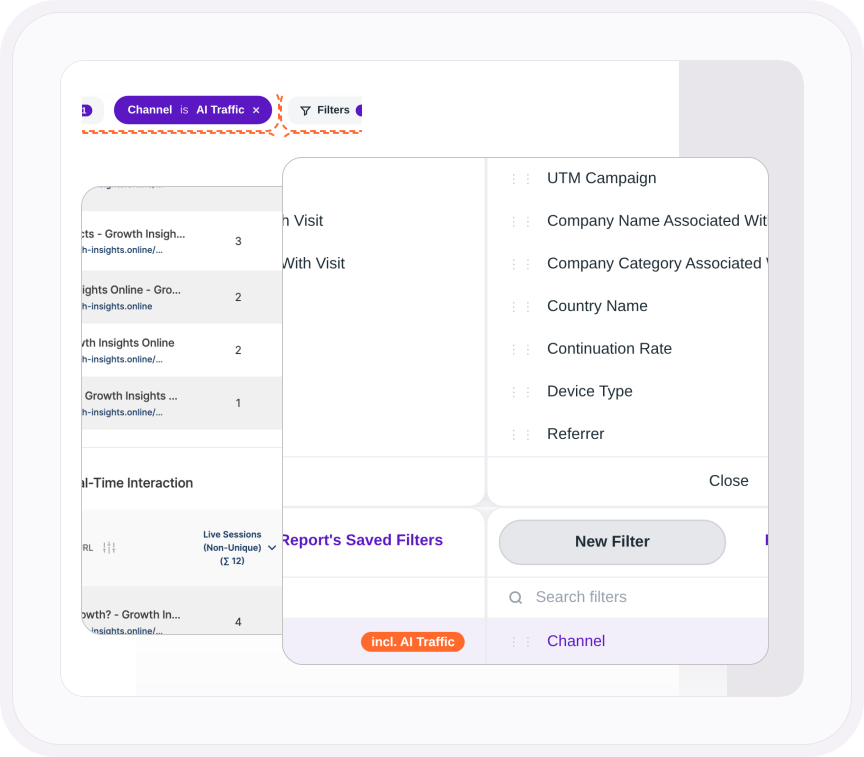
Every row in the live table already shows the device, operating system, channel, country and browser split. Then narrow it down. Filter the live view by traffic channel, campaign, referrer, company, country, city, device, browser or landing page, and the visitors on screen are the ones you asked about. Filter by channel and you're watching the traffic AI is sending you arrive. Filter by company and you'll see which business is reading your pricing page this second.
- Device, OS, channel, country and browser split on every live page
- Filter by traffic channel, UTM campaign, referrer, company name or category, country, city, device, browser, operating system, landing page and more
- The filter stays applied as you move to other reports
ONE PLATFORM, FOUR STAGES
Most analytics show you what happened. TWIPLA tells you what to do about it.
Every tool runs on the same setup, and the filters you set follow you from report to report. So a number on this page becomes a recording, a funnel or an answer in one click. Observe is where it starts. Here's the whole route.
- OBSERVE: See what's happening YOU ARE HERE
- ANALYZE: See how visitors behave →
- UNDERSTAND: See what it costs you →
- ACT: See what to do next →