- Which Traffic Sources Actually Generate Revenue?
- Turning Traffic Attribution Into Conversion & Revenue Insights
- Which Marketing Campaigns Deliver High-Quality Visitors?
- Identifying High-Quality Visitors
- Where Do Visitors From Different Channels Drop Out?
- Optimizing Conversion Rates for Traffic Channels
- How Do Visitors From Different Channels Behave on Your Site?
- Understanding Behavior by Traffic Channel
- Which Links, Ads, and Parameters Actually Drive Results?
- Diving into Deeper Traffic Attribution Data
- Which Traffic Sources Perform Best for a Specific Landing Page?
- Tracking Landing Page Peformance by Traffic Channel
- Ask Better Questions About Your Traffic
6 Traffic Attribution Use Cases to Understand What Actually Drives Results

Traffic attribution use cases help businesses understand where website visitors come from and how different channels contribute to business results.
It also connects visitor behavior with any marketing efforts that drove those visitors to a site so that teams can evaluate the real impact of different sources and identify what drives valuable outcomes.
In this article, we explore six practical traffic attribution use cases and, in addition, show how website analytics tools like TWIPLA connect visitors and their sources with conversions, behavior, and overall website performance.
→ Subscribe to the Newsletter
Stay ahead of what’s working in marketing. Get practical insights, new TWIPLA use cases, and product updates delivered to your inbox once a month.
You’re Probably Misreading Your Traffic
Connect traffic sources to real outcomes with TWIPLA
Uncover the 60–80% of visitors most analytics miss and pinpoint what's driving your success. No credit card required.
Which Traffic Sources Actually Generate Revenue?
Traffic Attribution Use Cases #1
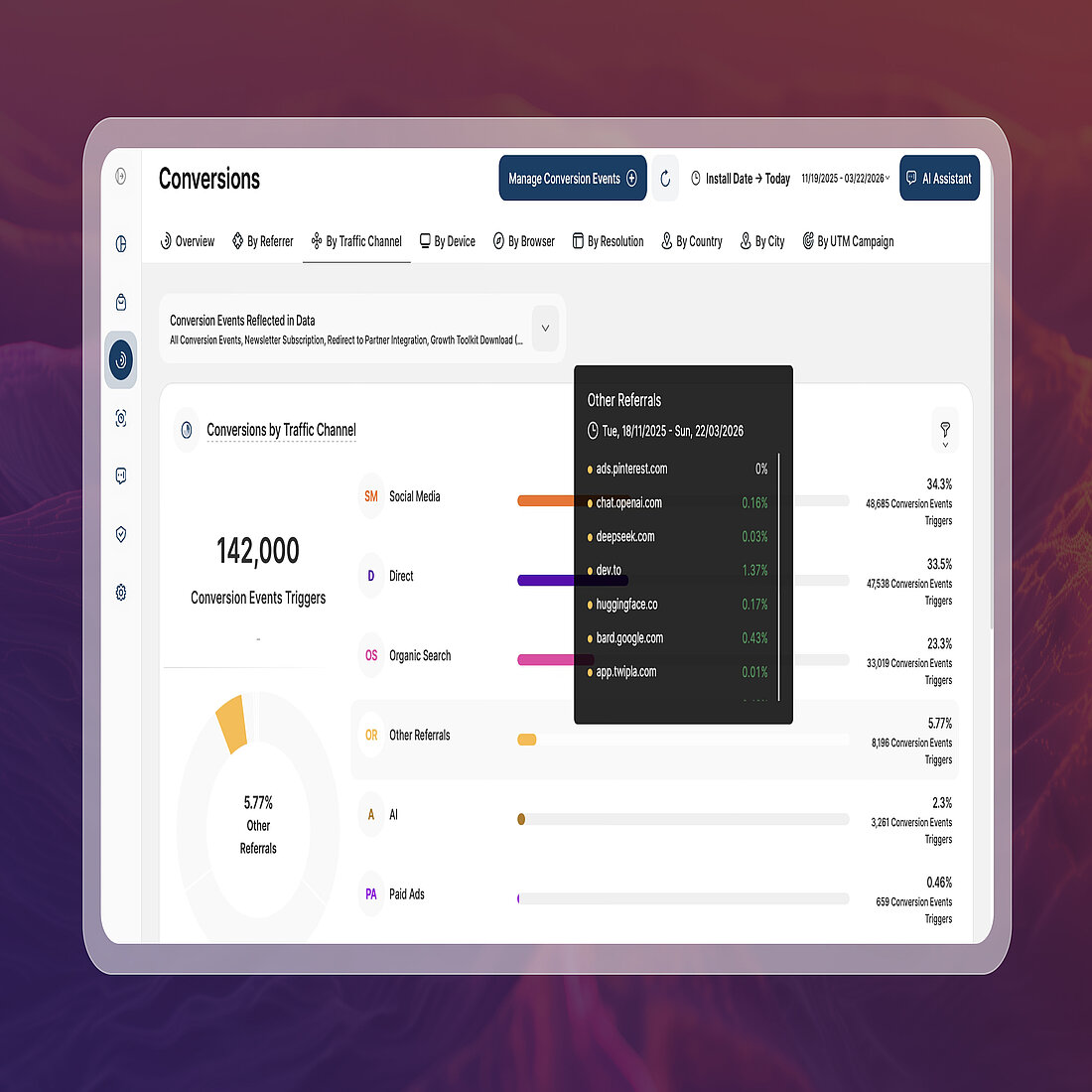
Overall, high traffic does not necessarily translate into business results.
Some channels may drive large volumes of visitors but contribute very little to purchases or signups. Alternatively, smaller traffic sources might consistently bring visitors who convert at much higher rates.
Traffic attribution connects conversions and revenue to the sources that brought visitors to the site.
It allows businesses to measure how much each channel is contributing, revealing which sources produce customers rather than simply visits.
Turning Traffic Attribution Into Conversion & Revenue Insights
As a complete website intelligence solution, TWIPLA links traffic data with conversion and revenue metrics:
- Traffic Structure groups visits into channels, helping you identify where highest-value visitors originate.
- Teams can then analyze individual sources using referrer data, UTM parameters, and filters.
- The “By Traffic Channel” view allows teams to compare engagement metrics such as pages per visit or session depth.
- Teams can filter most platform reports by channel, allowing for source-specific visitor analysis behave before conversion.
- Advanced Conversion Analytics connects sources directly to completed goals and assigned event values.
- Metrics such as “Conversions by Traffic Channel” show which channels consistently generate signups or key actions.
- Detailed views highlight which sources drive the most valuable conversion events.
- eCommerce links sources directly to purchases and revenue outcomes.
- Reports such as “Orders by Traffic Channel” reveal which acquisition sources generate the most completed purchases.
- Teams can also segment sales metrics including revenue and product performance by channel.
- Conversion Funnels connects traffic sources with the steps visitors take before completing a goal.
- You can segment funnels by channel or campaign.
- This reveals how visitors from different sources progress through key stages.
When acquisition data meets funnel analysis, you can see which sources drive revenue and how visitors convert.
Together, these insights reveal which acquisition sources generate the highest-value visitors rather than simply the most traffic.
It allows businesses to prioritize the channels that consistently generate revenue and refine campaigns that attract visitors who rarely convert.
Which Marketing Campaigns Deliver High-Quality Visitors?
Traffic Attribution Use Cases #2
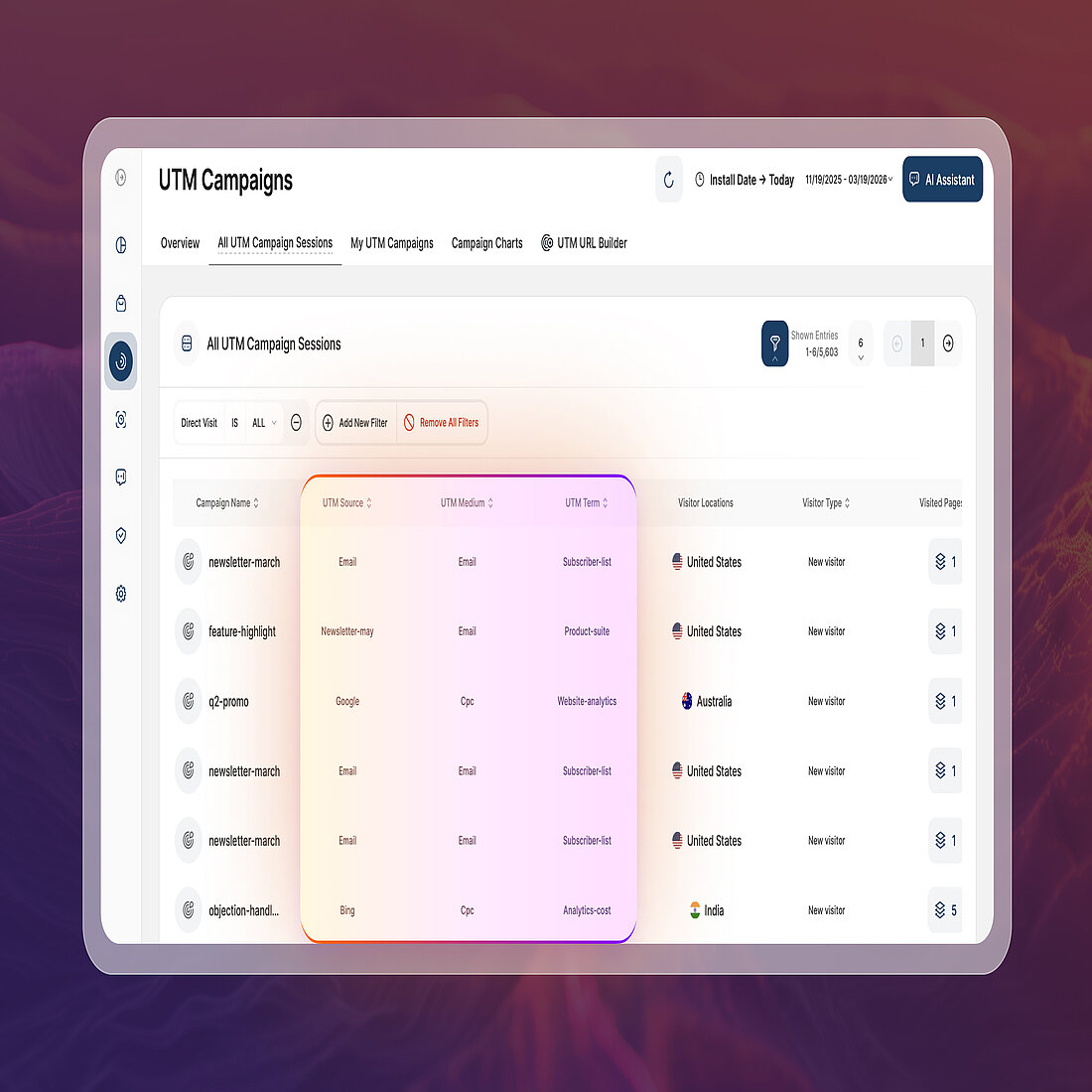
Marketing teams rarely rely on a single campaign. Marketing efforts often run simultaneously, each designed for a different audience. Even when these campaigns generate similar traffic levels, the visitors they bring to a website can behave very differently.
Campaign attribution helps teams understand which marketing efforts actually attract the most engaged visitors.
Instead of looking only at traffic volume, marketers can evaluate how campaigns influence page exploration, conversions, and other meaningful actions.
Identifying High-Quality Visitors
TWIPLA connects campaign links with visitor behavior and performance metrics:
- UTM Campaigns identifies the exact link responsible for each visit, allowing teams to compare the performance of individual marketing efforts.
- “UTM Campaigns Overview” highlights metrics like Top Performing UTM Campaigns and parameter-level insights.
- Teams can filter reports across the module to isolate traffic from campaigns and evaluate which initiatives attract engaged visitors.
- Advanced Conversion Analytics connects campaign traffic directly to meaningful outcomes.
- The “By Traffic Channel” submodule tracks which campaigns generate the most completed goals and the highest conversion value.
- This enables businesses to distinguish campaigns that drive real results from those that simply produce visits.
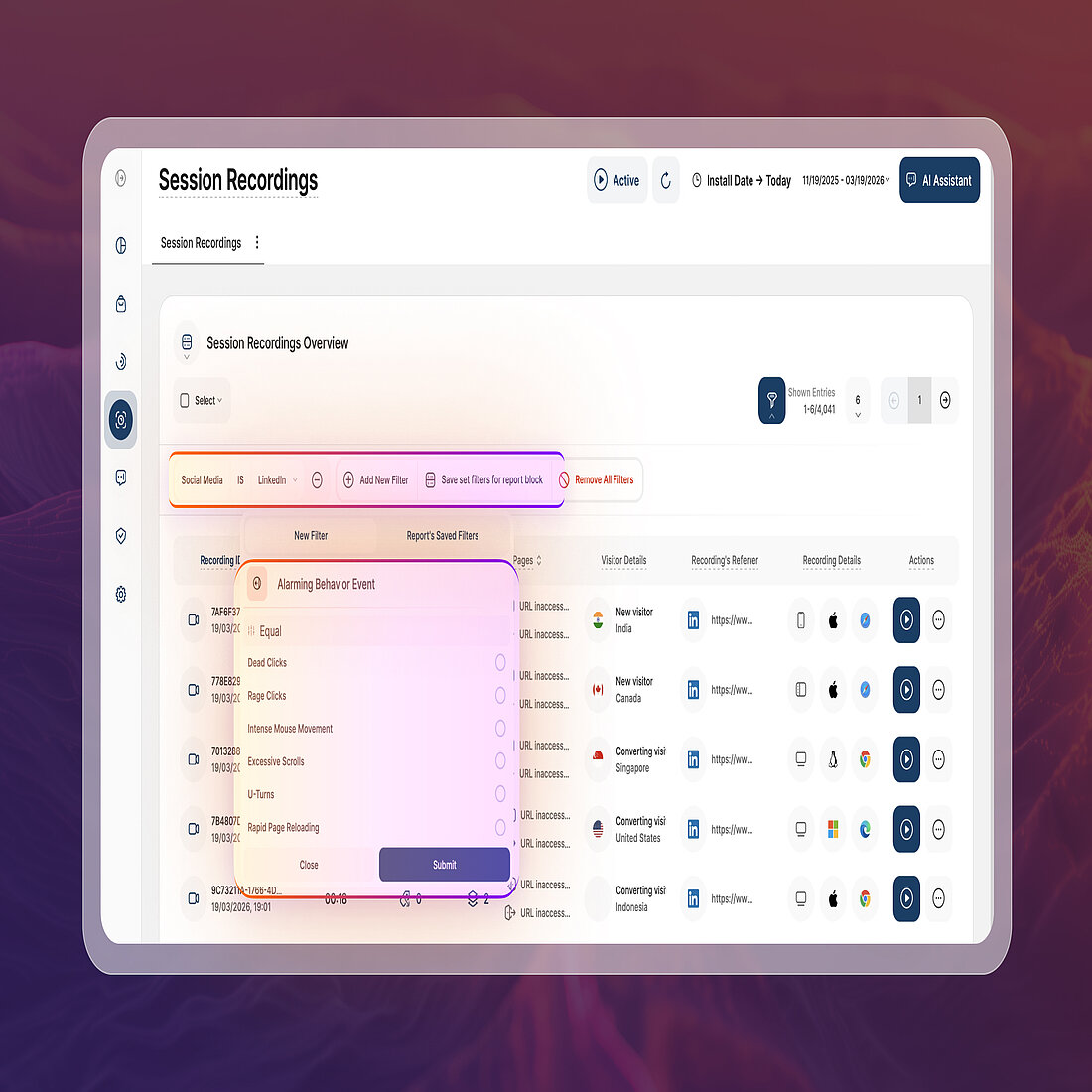
- Session Recordings provides visual confirmation of how campaign visitors interact with the website.
- The library can be filtered by UTM Campaign name, allowing teams to review sessions from specific marketing initiatives.
- Watching real sessions helps confirm whether campaign visitors explore content, complete actions, or abandon the journey early.
Viewed together, this data helps marketers distinguish between campaigns that simply generate traffic and those that consistently attract visitors impacting business success.
Where Do Visitors From Different Channels Drop Out?
Traffic Attribution Use Cases #3
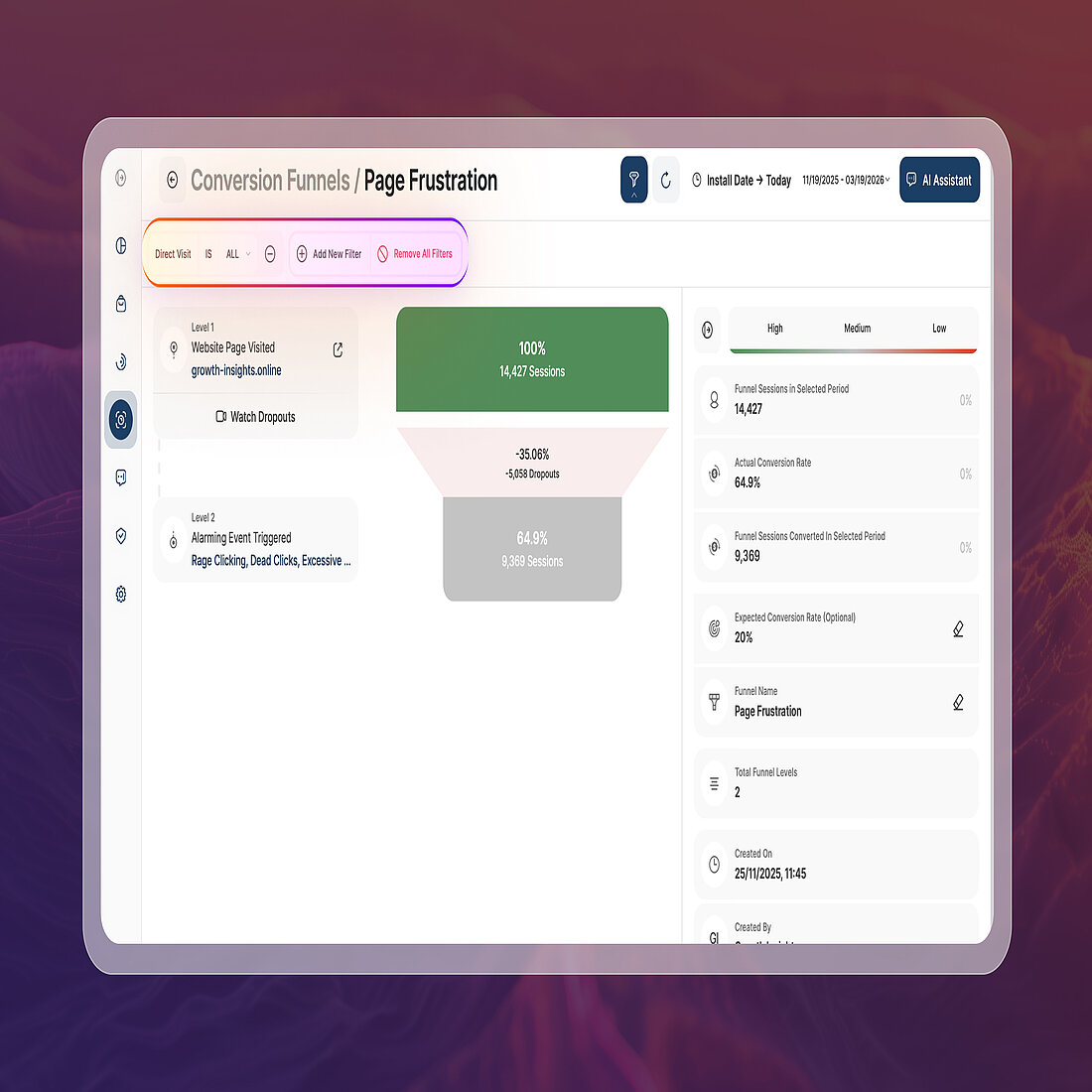
Visitors arriving from organic search may navigate directly toward product pages or sign-up flows. Others from social media or referral links may explore more casually before deciding whether to continue.
Funnel analysis makes these differences visible.
When conversion steps are examined by traffic source, patterns often emerge showing where specific audiences abandon the process.
For example, paid campaign visitors may leave during checkout, while referral traffic might drop off earlier when evaluating product details.
Optimizing Conversion Rates for Traffic Channels
This type of analysis becomes far easier when teams can segment funnel performance by channel.
Using TWIPLA, teams can examine these patterns through several connected tools:
- Conversion Funnels reveals where visitors abandon the conversion journey across different traffic sources.
- Traffic Structure and UTM Campaigns make it possible to isolate which sources or campaigns bring visitors who drop out.
- Teams can filter funnels by channel to compare how visitors from search, social, referrals, or direct traffic progress through the journey.
- Additional filters allow teams to pinpoint which promotions bring visitors who abandon the funnel early.
- Session Recordings provides direct visibility into what happens before visitors exit.
- Alarming Behavior Events highlights frustration signals that often precede drop-offs. Teams can analyze signals by traffic channel or campaign source to reveal where visitors from specific audiences encounter usability issues.
Behavior signals such as rage clicks or dead clicks can further explain why certain sources struggle to progress through the funnel.
Instead of treating drop-offs as a general usability issue, this approach reveals whether friction is tied to specific audiences. Using this data, teams can prioritize improvements where they will have the greatest impact.
How Do Visitors From Different Channels Behave on Your Site?
Traffic Attribution Use Cases #4
Visitors do not arrive with the same expectations.
Someone coming from Google may already be looking for specific product information, while other visitors may be browsing more casually.
These differences shape how people interact with pages, how deeply they explore, and whether they continue navigating or leave quickly.
In addition, examining behavior through traffic attribution helps reveal these patterns.
Rather than relying on general averages for metrics, teams can compare how visitors from different channels interact with the site. They can also see how these visitors engage with key conversion elements.
Understanding Behavior by Traffic Channel
TWIPLA connects traffic segmentation with behavioral analytics:
- Traffic Structure compares engagement metrics across acquisition sources to reveal how deeply channel visitors explore the site.
- Reports highlight whether visitors from search, social, referrals, or campaigns tend to browse multiple pages or leave quickly.
- Teams can also filter most reports by channel or UTM parameters, allowing them to isolate behavioral patterns from specific sources.
- Event Tracking (Auto-defined and Custom Events) measures the actions visitors from each channel take on the site.
- Automatically captured events track interactions such as button clicks, element views, and other engagement signals.
- Custom events allow teams to track deeper actions and compare the behavior of different audience segments.
- Alarming Behavior Events highlights friction signals that indicate visitor frustration.
- Signals such as dead clicks, excessive scrolling, or rapid page reloads can be analyzed by traffic channel or campaign source.
- This helps teams identify whether certain channels consistently bring visitors who struggle with navigation or encounter UX issues.
- Session Recordings and Heatmaps provide visual context for how visitors from different channels interact with pages.
- Teams can filter session recordings by traffic channel or UTM campaign to observe real navigation paths.
- Heatmaps reveal on-page behavior, helping teams compare how visitors from different sources interact with content and calls to action.
When teams analyze these signals by traffic source, it becomes easier to see how different audiences experience the site. This also highlights where adjustments to layout, messaging, or navigation could improve engagement and conversions.
Which Links, Ads, and Parameters Actually Drive Results?
Traffic Attribution Use Cases #5
Campaign performance is not always determined by the channel alone.
Often, the difference between a successful campaign and an underperforming one comes down to the specific link, ad variation, or promotion that visitors click. Even within the same campaign, different creatives, placements, or calls to action can produce very different outcomes.
As a result, parameter-level attribution becomes valuable for identifying which specific links, ads, or variations drive results.
By tracking the URL campaign parameters, teams can evaluate which specific links or ads are responsible for any event. Instead of superficially comparing campaigns, marketers can analyze performance at the level of individual links, ads, or parameter variations.
Diving into Deeper Traffic Attribution Data
TWIPLA enables this type of analysis by capturing the parameters associated with incoming traffic:
- GET Parameters capture custom URL values, allowing teams to evaluate the performance of specific links, ad placements, or creative variations.
- Parameters such as ad IDs, creative versions, or partner identifiers allow businesses to compare results at the level of individual links rather than entire campaigns.
- This reveals which specific placements or ad variations actually generate engagement and conversions.
- UTM Campaigns organizes campaign traffic by source, medium, campaign name, and additional marketing parameters.
- Metrics can be analyzed by parameters such as source, medium, term, content, platform, creative format, or marketing tactic.
- Such granularity allows marketers to compare how different ads, targeting, or creative formats perform within the same campaign.
- Advanced Conversion Analytics connects those parameter-level visits to measurable outcomes.
- Conversions and assigned values are segmentable by campaign or parameter to reveal which links and ad variations produce real results.
- This enables teams to distinguish traffic that actually drive signups, purchases, or other valuable actions.
With this level of visibility, marketers can identify which individual links, ads, or campaign variations generate the strongest results. This makes it easier to optimize creative assets, messaging, and targeting across future campaigns.
Which Traffic Sources Perform Best for a Specific Landing Page?
Traffic Attribution Use Cases #6
Landing pages are rarely designed for a single audience. The same page may receive visitors from search results, paid ads, social media posts, email campaigns, and referral links.
Each of these audiences arrives with different expectations, levels of intent, and familiarity with the brand.
Because of this, the effectiveness of a landing page often depends on where visitors came from. A page that performs well for organic search traffic may struggle to convert visitors arriving from a display campaign. Alternatively, email-driven visitors may respond differently to the same content or offer.
Analyzing landing page performance through the lens of traffic attribution helps uncover these differences. Instead of looking at conversion rates for a page as a single aggregate number, teams can evaluate how visitors from different channels interact with that page and which sources consistently produce stronger results.
Tracking Landing Page Peformance by Traffic Channel
TWIPLA provides several tools that help reveal these relationships:
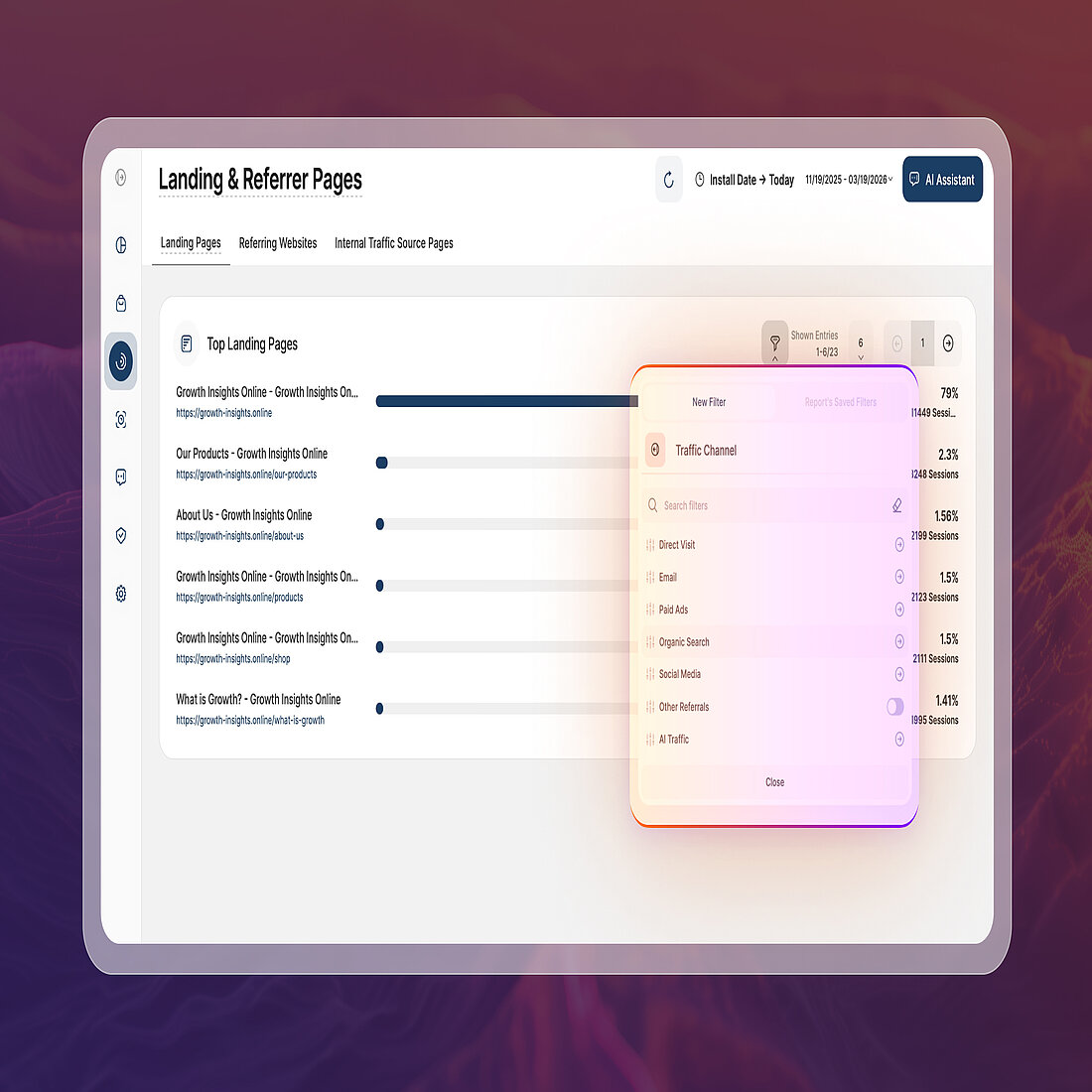
- Landing & Referrer Pages reveals which pages visitors enter the site through and which sources drive that entry traffic.
- “Top Landing Pages” highlights which pages attract the most entry traffic.
- “Referring Websites” shows which external sources send visitors to those pages. It helps teams identify which partnerships, platforms, or search engines drive traffic to specific landing points.
- Traffic Structure and UTM Campaigns filters allows landing page performance to be segmented by traffic source.
- Report blocks across Landing & Referrer Pages can be filtered by channel and UTM campaign parameters.
- This makes it possible to see which channels bring visitors to each landing page and contribute to entry traffic.
- Pages Dashboard compares how different landing pages perform once visitors arrive.
- Metrics such as page views, direct visits, and visitor counts reveal which landing pages attract and retain traffic.
- Visualizations help teams evaluate whether certain sources drive stronger engagement or sustained page interest.
- Advanced Conversion Analytics connects landing page visits to meaningful outcomes.
- Conversions and assigned values can be analyzed alongside traffic sources and entry pages.
- This reveals which combinations of landing page and source actually generate results.
Viewed together, this data reveals which traffic sources align best with specific landing pages. This insight helps teams refine campaign targeting, adjust messaging, or route visitors to pages better suited to their intent.
Ask Better Questions About Your Traffic
Traffic attribution becomes far more valuable when acquisition data, visitor behavior, and conversion outcomes are analyzed together.
As a result, teams are no longer limited to traffic volume data for a channel. Instead, they can start asking deeper questions about their audience. Which sources attract engaged visitors? Which campaigns drive conversions. How do different audiences experience the site?
TWIPLA bring these signals together so businesses can connect sources with real outcomes such as engagement, conversions, and revenue.
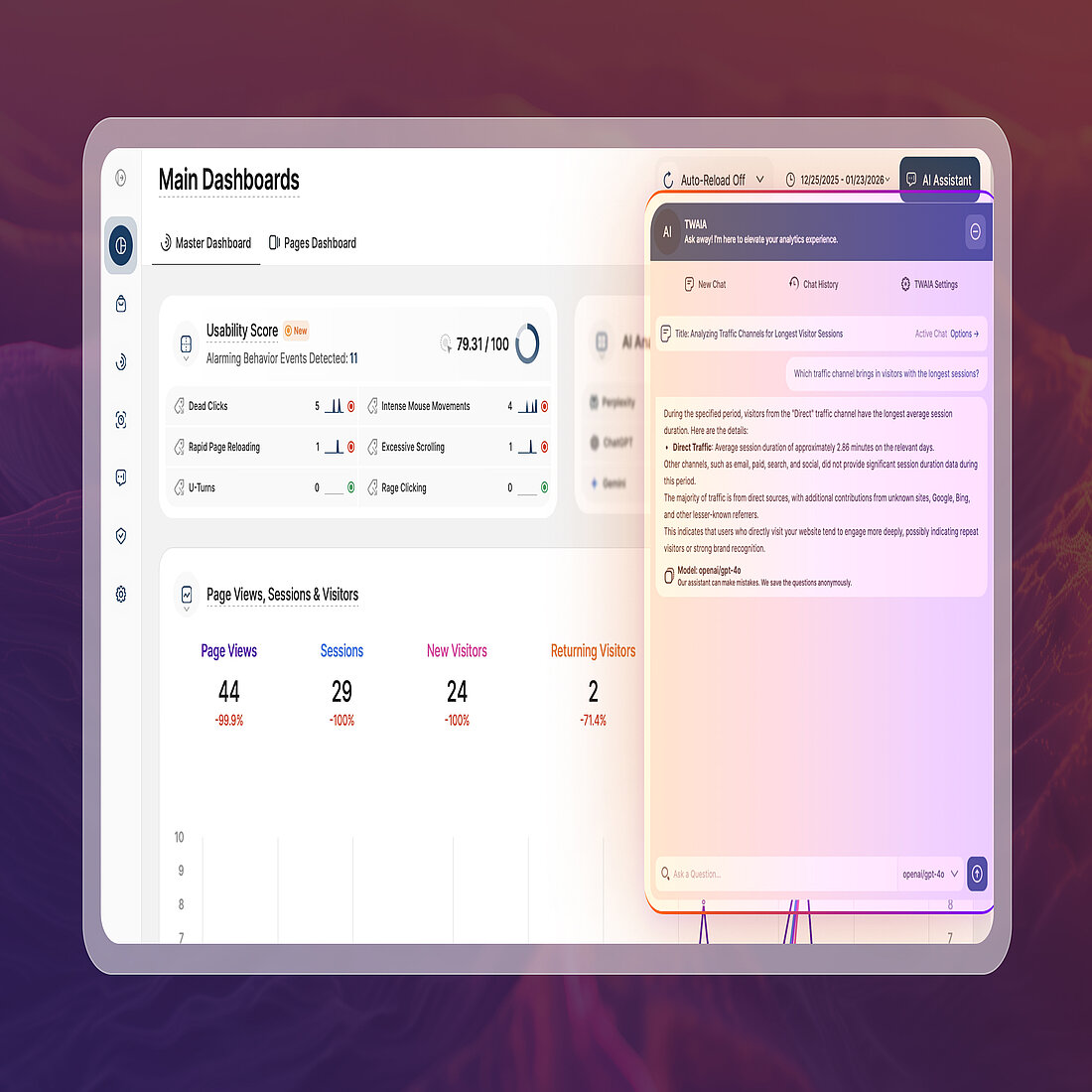
An AI assistant, TWAIA, can further support this analysis. It can help examining patterns across your analytics data and highlighting insights that may be difficult to spot manually.
If you would like to explore these insights on your own domain, feel free to sign up free. Alternatively, you can also book a demo to see TWIPLA’s traffic attribution analytics and AI-assisted insights in action.
→ Subscribe to the Newsletter
Stay ahead of what’s working in marketing. Get practical insights, new TWIPLA use cases, and product updates delivered to your inbox once a month.
Share article


Get Started for Free
Gain World-Class Insights & Offer Innovative Privacy & Security

You might also like

 20 March 2025 - by Simon Coulthard
 14 January 2025 - by Simon Coulthard