UX Health Score & Friction Monitoring
See where visitors get stuck. Know how bad it is.
UX Health Score & Friction Monitoring catches every moment a visitor expected something to happen and nothing did. Rage clicks, dead clicks, U-turns and three more signs of frustration, rolled into one score and traced to the exact page and session.
This is one of five Analyze tools. Explore them all.UX HEALTH SCORE
The number to check on Monday morning.
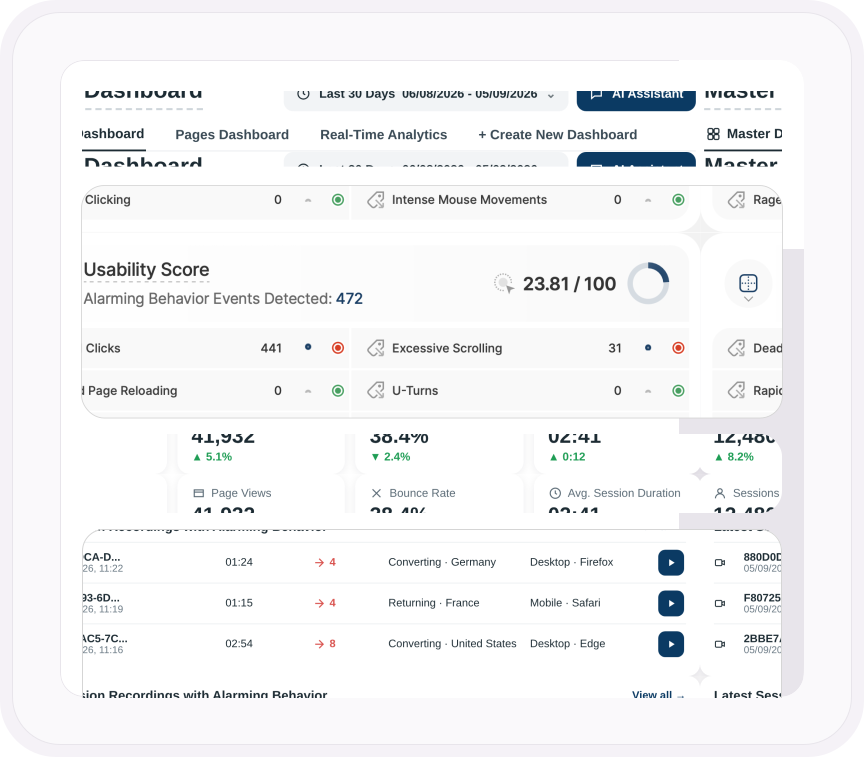
One score out of 100 for your whole website, right on your Master Dashboard. It's the share of page views where no frustration signal fired, and it recalculates for whatever dates you pick.
Underneath sit all six signals, each with its count, a mini chart of how it's moving, and a light that turns red as soon as anyone hits that problem.
- Switch to the line chart to see the score day by day, with a trend line showing which way it's heading
- The total number of signals detected sits beside the score, so every dip comes with a count
- On every plan, including Free
ALARMING BEHAVIOR EVENTS
Every dead click is a potential conversion that didn't happen.
Nobody fills in a feedback form to say the button didn't work. They click it again. Then again. Then they leave.
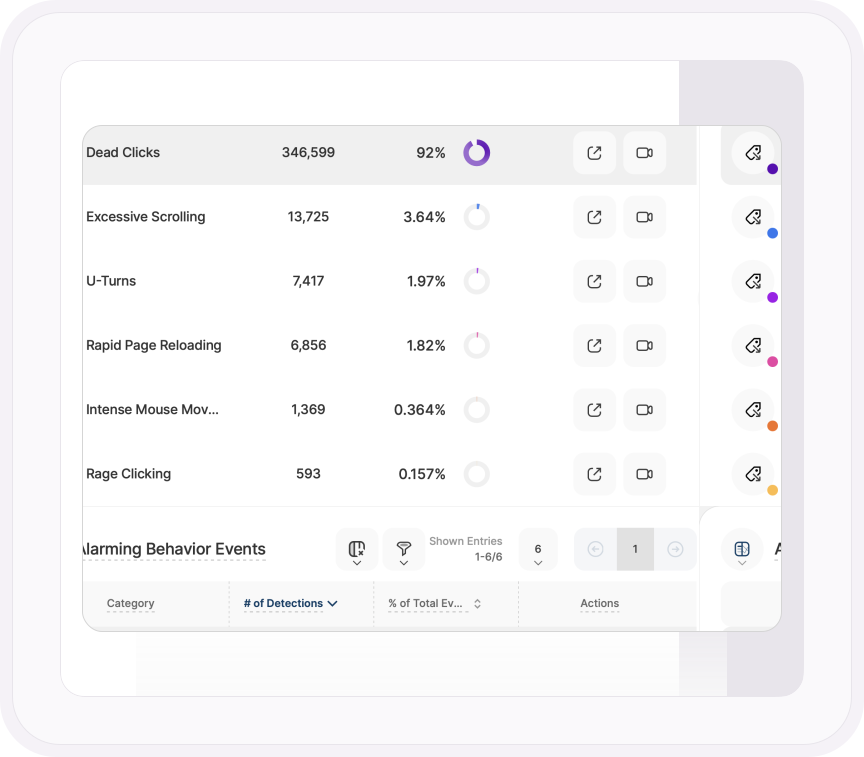
TWIPLA catches six kinds of frustration automatically, with nothing to set up and nothing counted toward your monthly event limit. Chart any of them by day, week, month or year, as a count or as a share of all six, and stack several to compare them. Every signal follows a strict rule:
- Dead clicks: a click that gets no response within one second
- Rage clicks: five or more clicks in six seconds with nothing changing on screen
- U-turns: back to the previous page within seven seconds
- Rapid page reloading: the same page reloaded three times in seven seconds
- Excessive scrolling: more than three screen heights in three seconds
- Intense mouse movement: the cursor crossing twice the screen width in three seconds
SESSION RECORDINGS
The problem. Then the video of it.
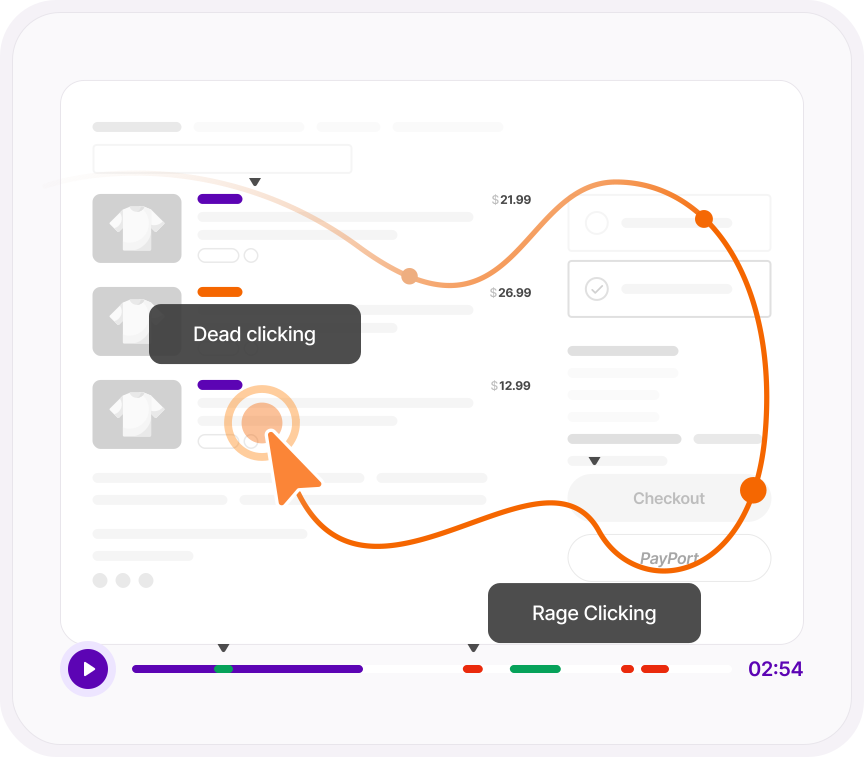
Every signal has a recordings button beside it. Click it and you get only the sessions where it happened, with the moment marked in red on the timeline. No scrubbing through a replay hunting for it.
The same button sits beside every signal on your Health Score, so Monday morning's red light is one click from the video.
- Every recording shows how many frustration signals it contains, so you know which to watch first
- Combine a signal with other recording filters: rage clicks from mobile visitors, or dead clicks from one campaign
- Inside a replay, show only one kind of signal in the action list
FRICTION BY PAGE
Find the page that's causing problems.
102,000 dead clicks is a symptom. 90,000 of them on one product page is a diagnosis.
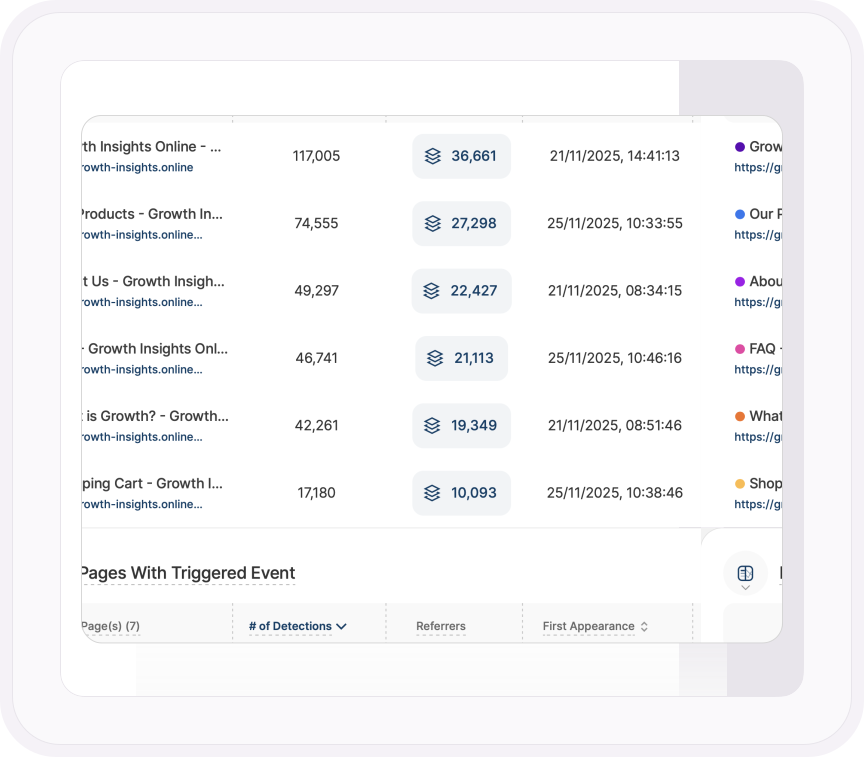
Open any signal and every page it happened on is ranked by detections, with the referrers behind it and the first and last time it appeared. Now you're not fixing "the site". You're fixing the image on the pricing page that everyone thinks is a button.
- Sort by first appearance and spot the problem that began the day a release went live
- Sort by last appearance to prove a fix worked: if it stopped the day you shipped, it's gone
- The page count at the top tells you straight away whether it's one broken page or a sitewide pattern
ONE PLATFORM, FOUR STAGES
Most analytics show you what happened. TWIPLA shows you what to do about it.
Every tool runs on one setup, and the filters you set follow you from report to report. So a number on this page becomes a recording, a funnel or an answer in one click. Analyze is where the numbers turn into behavior. Here's the whole route.
- OBSERVE: See what's happening
- ANALYZE: See how visitors behave
- UNDERSTAND: See what it costs you
- ACT: See what to do next