Simon Coulthard June 22, 2026
- Engagement Analytics: New “Active Viewport Time” Metric
- Bounce Rate: New “Advanced Bounce Rate” Metric
- Session Duration: More Accurate Calculations
- Wix Choice Recognition
- Master Dashboard: Consolidated Reporting
- Filters: Improved Persistence and Navigation
- ISO 27001 Certification Successfully Maintained
- Session Recordings: Improved Playback Event Summary
- Polls: New Display Options
- New Live Data Indicator for Analytics Charts
- That's a Wrap for Platform News June 2026
Platform News - June 2026

This month, we've focused on giving you a clearer view of what visitors are really doing on your website.
June's updates introduce new engagement metrics, more accurate reporting, improved dashboard experiences, and several quality-of-life improvements across the platform, all designed to help you analyze visitor behavior with greater confidence.
Use the table of contents on the left to jump straight to what interests you, or scroll through for the full update.
→ Subscribe to the Newsletter
Stay up to date with TWIPLA. Get product updates, practical insights, and industry news delivered to your inbox.
Engagement Analytics: New “Active Viewport Time” Metric
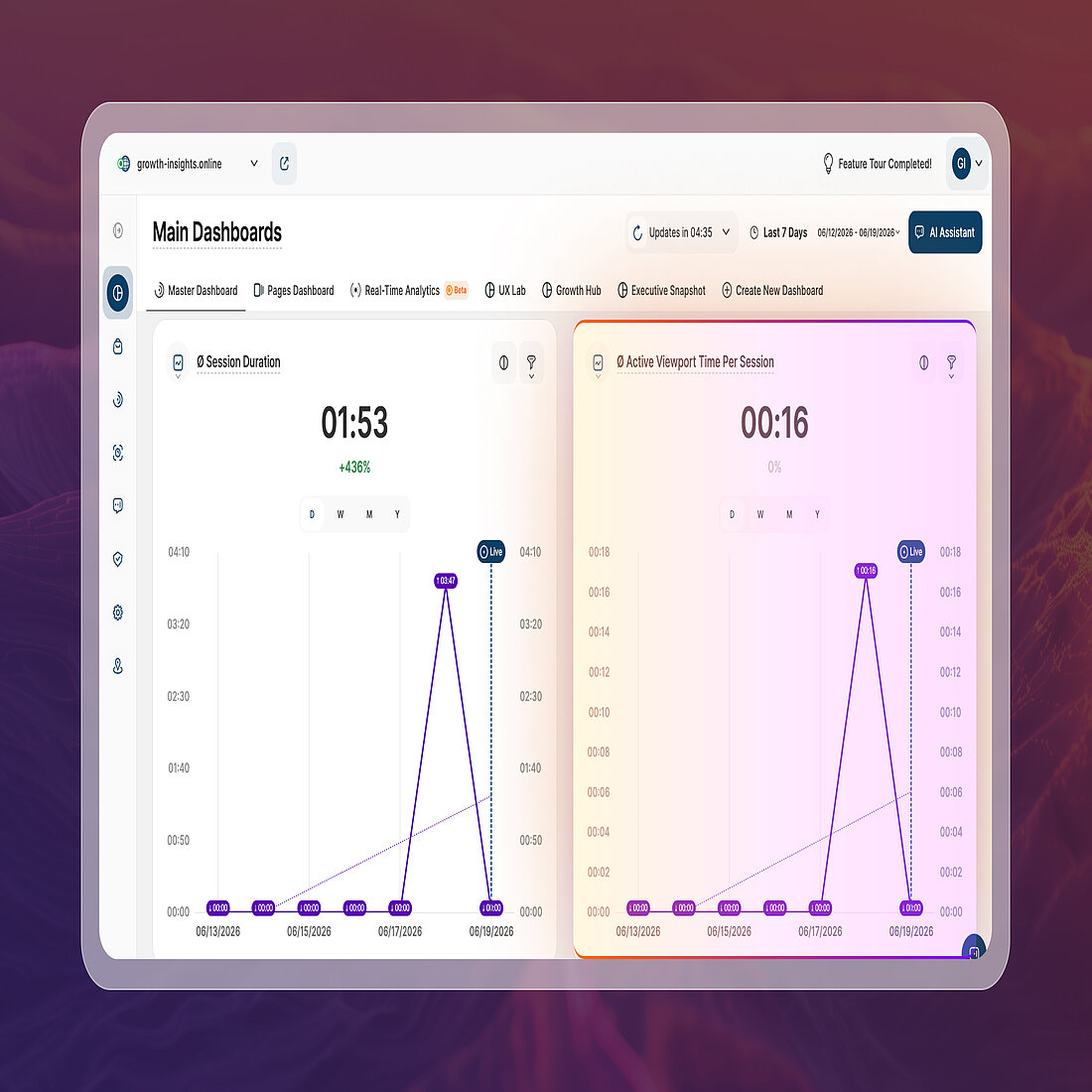
A new engagement metric, Active Viewport Time, is now available across the platform, providing a more focused view of how long visitors actively engage with your content.
Unlike Session Duration, which measures the total length of a visit, Active Viewport Time only counts periods when a page is visible to the visitor and the visitor is actively interacting with it through actions such as scrolling, mouse movements, or typing.
This means periods of inactivity, idle browser tabs, and background-tab activity are excluded from the calculation, helping provide a more meaningful indication of visitor attention and engagement.
For example, if a visitor opens a page and leaves it open for 20 minutes while away from their device, Session Duration may include that time, while Active Viewport Time records only the periods during which genuine interaction occurred.
The metric is now available in multiple areas of the platform:
- Main Dashboard: New Ø Active Viewport Time Per Session report block
- Pages Dashboard: New average Active Viewport Time column
- Real-Time Analytics: New average Active Viewport Time column
Additional information about how the metric is calculated is available directly within the platform tooltips.
→ Support Center: Active Viewport Time per Session Report Block
Bounce Rate: New “Advanced Bounce Rate” Metric
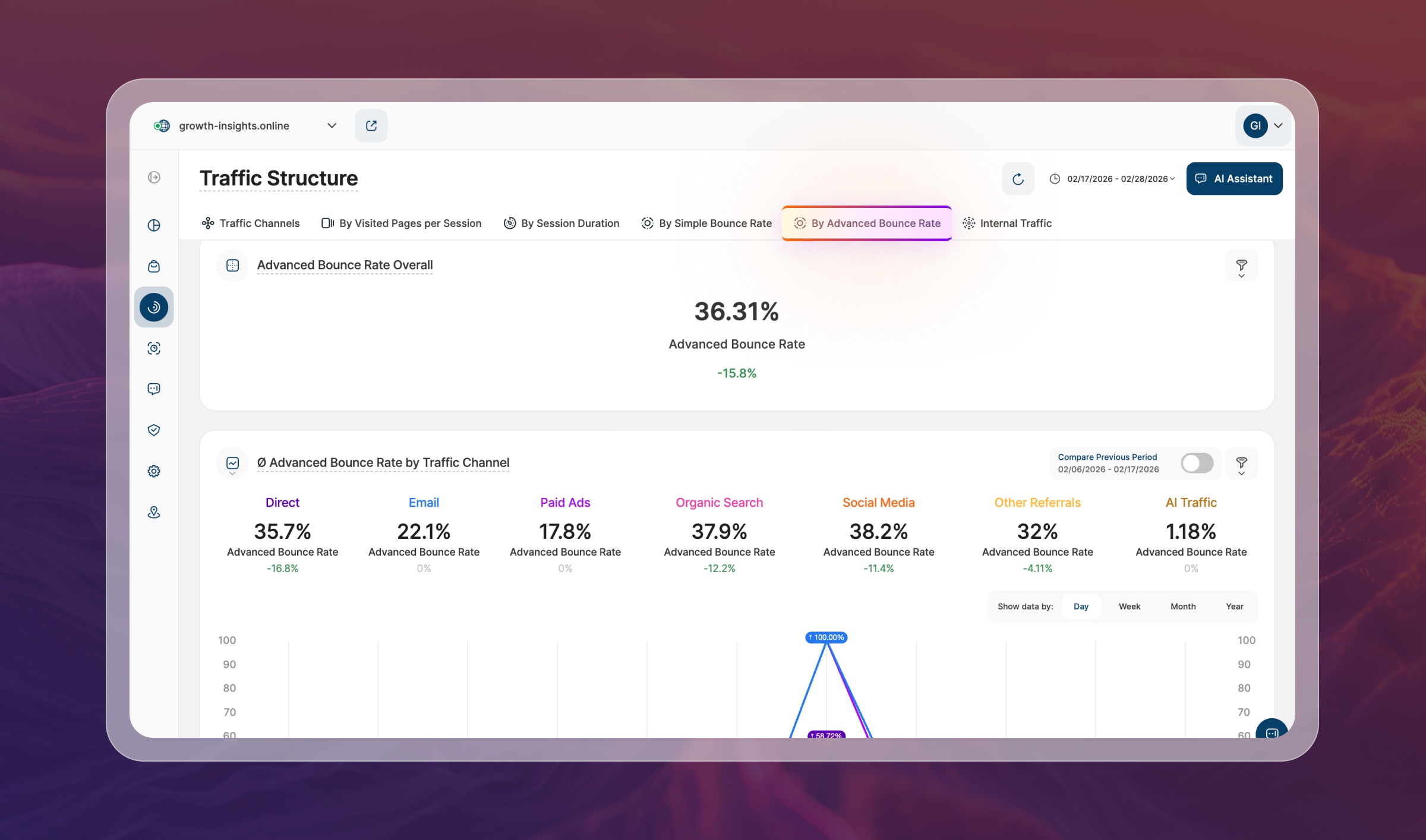
A new Advanced Bounce Rate metric is now available throughout the platform, providing a more nuanced view of visitor engagement than the existing bounce rate calculation.
While the existing metric, now referred to as Simple Bounce Rate, classifies all single-page visits as bounces, Advanced Bounce Rate applies additional engagement criteria before determining whether a session should be counted as a bounce.
A session is only classified as a bounce when all of the following conditions are met:
- Session duration is less than 10 seconds
- No conversion event was triggered
- No tracked event was triggered
- Only a single page was viewed
Because Advanced Bounce Rate considers multiple engagement signals, it will typically report a lower value than Simple Bounce Rate, helping distinguish genuinely disengaged visits from visitors who meaningfully interacted with a page before leaving.
The new metric has been added across the platform alongside the existing Bounce Rate calculation, allowing users to compare both perspectives when evaluating visitor engagement.
Session Duration: More Accurate Calculations
Session Duration is now calculated using a new end-of-visit event that captures time spent on the final page of a visit, providing a more complete measurement of visitor engagement.
Previously, time spent on the last page of a session could not always be included in duration calculations because no subsequent page view existed to determine when the visit ended. The new calculation method addresses this by recording a dedicated end-of-visit event, allowing the platform to more accurately measure the full length of a session.
As a result, Session Duration values may be higher in newly collected data, particularly for single-page visits and sessions where visitors spend significant time on their final page before leaving.
A few important points to note:
- New data only: Historical Session Duration values remain unchanged.
- No action required: The update has been applied automatically across the platform.
- Broader coverage: Time spent on the final page of a visit is now included, even for sessions consisting of a single page view.
The updated calculation has been integrated across all report blocks and metrics that use Session Duration.
Wix Choice Recognition
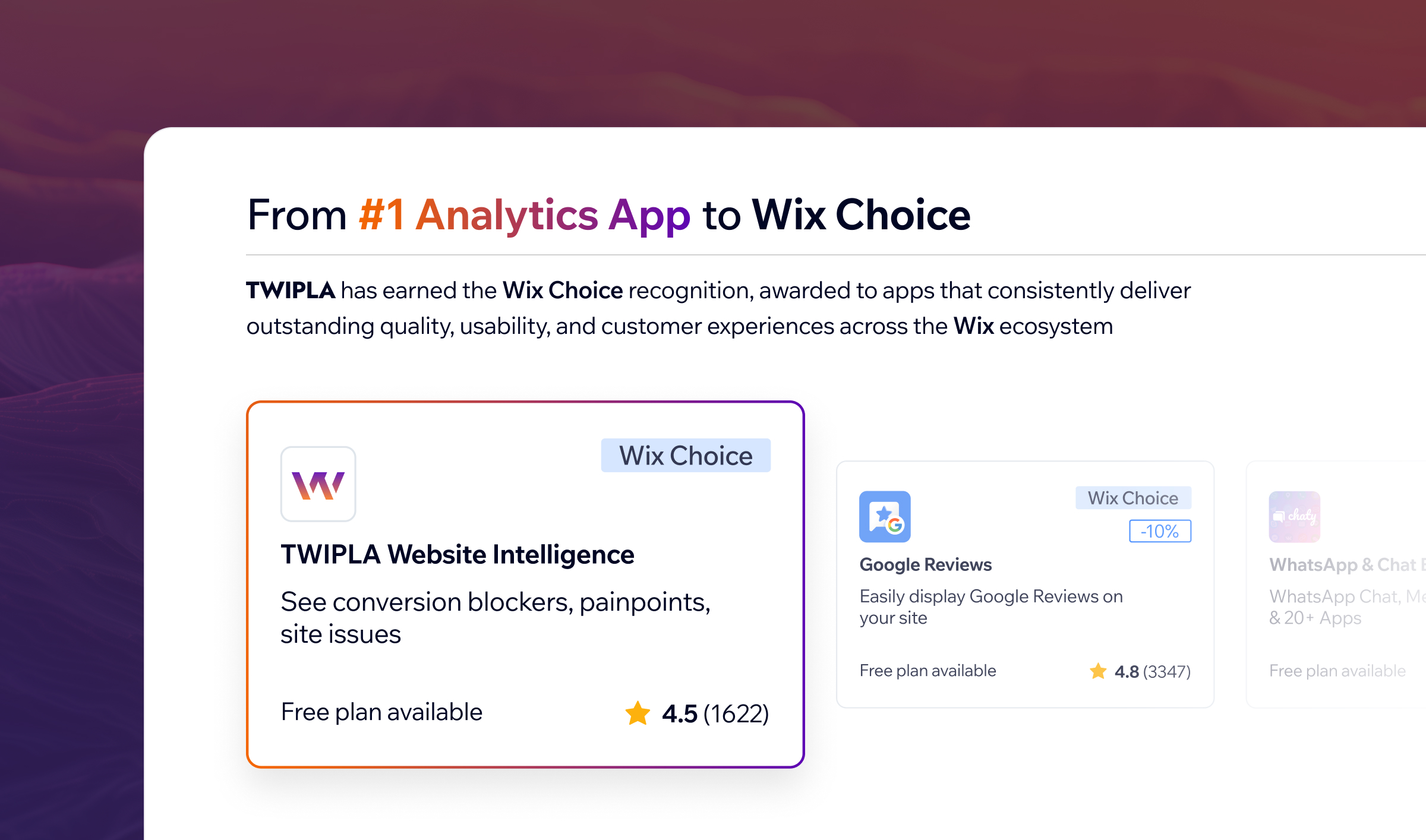
TWIPLA has been awarded the Wix Choice badge, an exclusive recognition given to apps that meet Wix's highest standards for user experience, interface design, quality, and customer satisfaction.
This achievement reflects our long-standing commitment to making website analytics accessible, intuitive, and genuinely useful for Wix website owners, without compromising on depth or functionality.
Over the years, our partnership with Wix has continued to grow. From becoming the leading analytics solution in the Wix App Market to powering native analytics capabilities within the Wix ecosystem, TWIPLA has helped bring advanced website intelligence to millions of websites worldwide.
We would like to thank the Wix team for this recognition, as well as the customers whose feedback, trust, and support continue to shape the platform and drive its ongoing development.
Many of the milestones we've achieved over the years have been made possible by customers who have taken the time to share their experiences. If you'd like to support TWIPLA, we'd be grateful for a review on any of the following platforms:
Master Dashboard: Consolidated Reporting
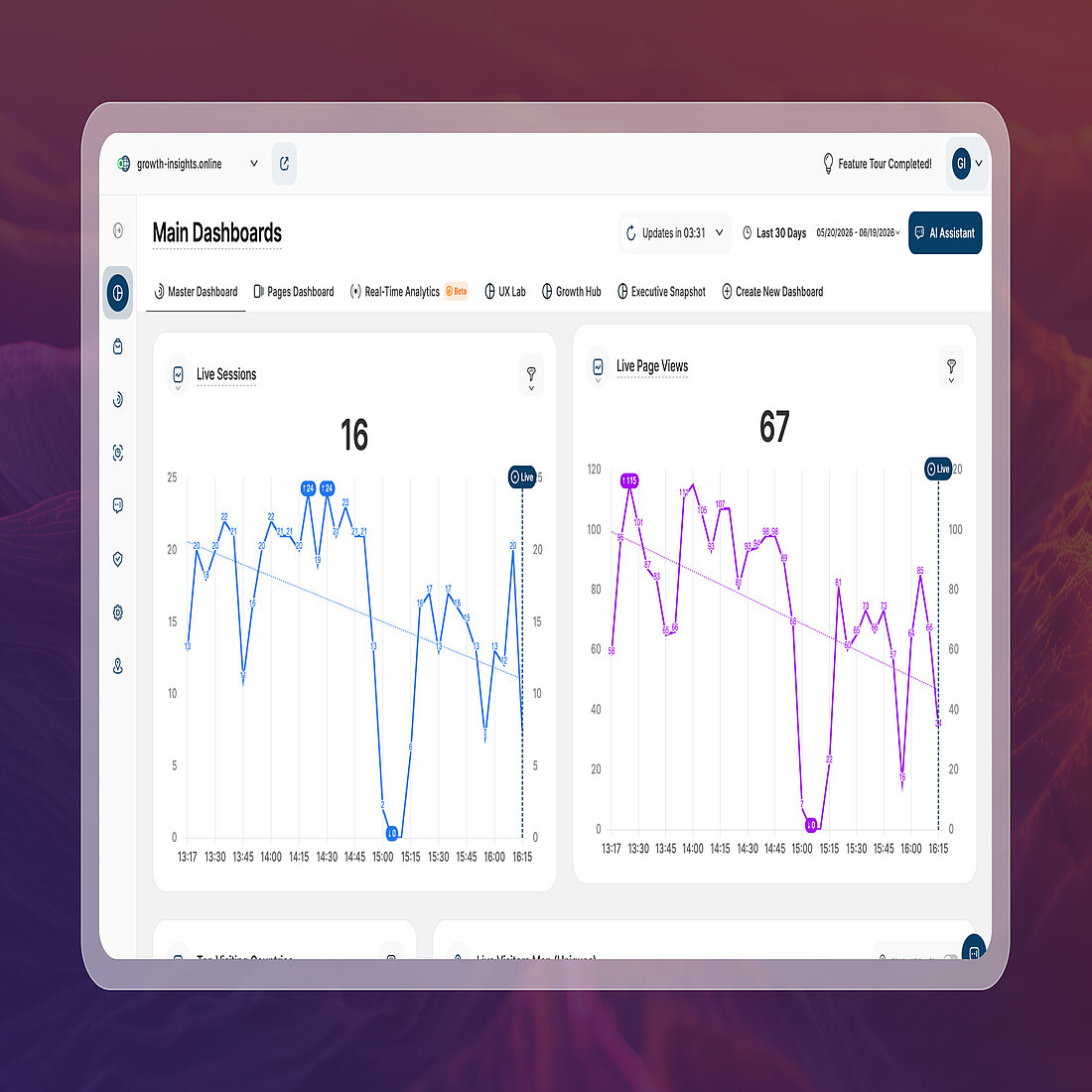
Reporting is now more centralized, with all report blocks previously available in Web Statistics → Overview moved to the Master Dashboard.
This change removes duplicated reporting areas across the platform and brings key analytics insights together in a single location, making it easier to access and customize the metrics that matter most.
As part of this update, the Web Statistics → Overview submodule has been fully retired following the migration of all report blocks to the Master Dashboard.
Two new report blocks have also been introduced:
- Live Sessions: Monitor the number of active visitor sessions currently being recorded on your website.
- Live Page Views: Track page view activity as it happens, providing additional visibility into real-time visitor engagement.
Together, these changes create a cleaner reporting structure while expanding the real-time insights available directly from the Master Dashboard.
Filters: Improved Persistence and Navigation
Applied filters now remain consistent as you move throughout the platform, reducing the need to repeatedly rebuild reporting views.
- View All continuity: Filters applied to dashboard report blocks are now automatically carried over when opening detailed reports.
- Session persistence: Filters, segments, date ranges, and filter templates remain applied when navigating away from a page and returning later.
- Cross-session support: The same reporting context is preserved after logging out and back in, allowing you to continue where you left off.
These improvements create a more consistent reporting experience across the platform and help reduce repetitive setup during analysis.
ISO 27001 Certification Successfully Maintained

TWIPLA has successfully completed another ISO 27001 surveillance audit, maintaining one of the world's leading information security certifications.
The annual audit independently verifies that our security management processes continue to meet internationally recognized standards across areas such as risk management, access controls, incident response, and business continuity.
For customers, partners, and platform integrations, this provides ongoing assurance that security and data protection remain embedded throughout our operations.
A big thank you to everyone across the TWIPLA team who contributed to another successful audit.
→ iso.org: ISO/IEC 27001:2022
→ Blog: TWIPLA and Data Storage
Session Recordings: Improved Playback Event Summary
The Visitor Actions summary within Session Recordings now provides a more complete overview of activity captured during a recording.
Previously, the displayed event total reflected only standard visitor behavior events. The count now includes all recorded events, including visitor actions, alarming behavior events, and eCommerce events, providing a more accurate summary of the interactions captured during a session.
This update also brings greater consistency to the recording detail view, with event totals now aligning with the activity timeline and event lists displayed throughout the recording.
As a result, users can more quickly understand the level of activity within a recording without needing to manually compare counts across different sections of the interface.
Polls: New Display Options
Following customer feedback, we've introduced two new display options that provide greater control over how polls appear to website visitors.
- Adjustable poll size: Configure the size of the poll window using a slider, making it easier to balance visibility with the overall website experience.
- Closed by default: Display polls in a minimized state when visitors first arrive on a page. When enabled, the poll opens only after a visitor clicks the poll bubble.
These additions give website owners more flexibility when deploying polls, helping them gather visitor feedback while maintaining greater control over how feedback requests are presented throughout the visitor journey.
New Live Data Indicator for Analytics Charts
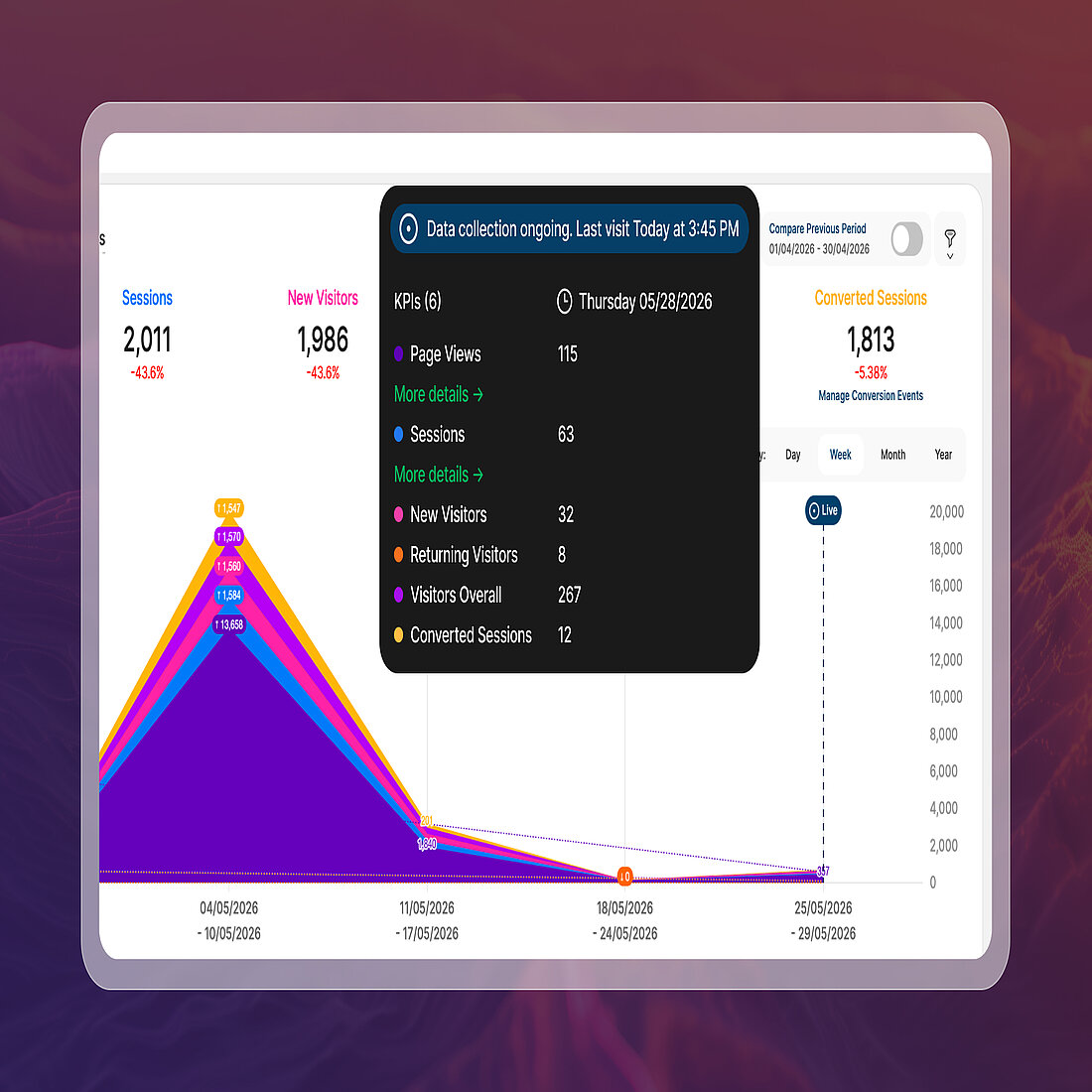
Live analytics data is now easier to identify across supported line-based visualizations throughout the platform.
Building on the recent introduction of TWIPLA’s Real-Time Analytics Dashboard, this update introduces a new Live marker and guide line to clearly distinguish data that is still being collected from finalized reporting periods.
Updated hover tooltips also provide additional context, making it easier to understand when displayed values are still being updated and when data collection remains ongoing.
These improvements help reduce confusion during analysis, particularly when reviewing current-day activity, where incomplete values can sometimes be mistaken for missing traffic, tracking issues, or other reporting problems.
That's a Wrap for Platform News June 2026
Not every update makes the newsletter.
Alongside the features highlighted above, June also brought a steady stream of smaller improvements, interface refinements, and platform enhancements designed to make everyday analysis smoother and more efficient.
Thanks for following along, and we'll be back next month with more updates from across the platform.
Until next time, happy insights!
Share article


Get Started for Free
Gain World-Class Insights & Offer Innovative Privacy & Security


 26 May 2026 - by Simon Coulthard